

Project Overview
StreamSculpt is an interactive live streaming app that enhances the user experience by making the streaming process more interactive, engaging, and visual. The platform integrates technologies such as AI-driven stream recognition, augmented reality, 3D overlay, virtual camera, and customizable live streaming events to offer an immersive live-streaming experience.
The app helps the streamers to establish connection via Twitch, configure the streaming setup, choose and customize 3D overlays, configure alerts, schedule events, and show message templates while streaming. The use of a virtual camera allows the app to utilize feeds from the camera when another app is accessing the physical camera. The application was built using ReactJS, ElectronJS, Node.js, and MongoDB.
Project Objectives
- Improve the live-streaming experience using augmented reality and 3D visuals.
- Ensure seamless integration with the Twitch account.
- Ensure AI-based streamer recognition for the augmented reality experience.
- Allow customization of 3D overlays and streaming alerts.
- Allow scheduling of events using timed overlays.
- Include a virtual camera feature for continuous streaming.
- Create a user-friendly dashboard for configuring the streaming settings.
Let's Shape Your Project Together
Have an idea, a challenge, or a new project in mind? Our team is here to help.
Business Challenges
1. Creating Interactive Streaming
The customer aimed to increase the level of interactivity of live streaming by using augmented reality and 3D visual effects. The task was to blend camera footage from the real world with computer visuals in order to not to complicate the live streaming process for users.
2. Ensuring Video Quality
AR, 3D effects, and live video streaming can require some computing power and resources. It was crucial to ensure proper performance and quality of video output while processing these visual elements.
3. Overwriting the Streamer's Existing Camera Connection
Streamers might be using another software application to access their physical webcam. It was necessary to ensure that the platform could process camera footage without any conflicts with existing applications.
4. Complicated Configuration Process
It becomes complicated to manage overlays, alerts, events, message templates, and other parameters when configuring live streaming. A simple dashboard and streamlined configuration process were needed.
5. Interactive Elements on Live Streams
There should be support for different events in live streaming, like subscriptions, followers, gifted subscriptions, raids, re-subscriptions, and cheers.
Our Solutions
In order to solve the problems associated with delivering an immersive streaming experience, a live streaming application that utilizes virtual and augmented reality was created.
AI-Powered Streamer Recognition
The platform makes use of streamer recognition based on AI technology in order to accurately identify the streamer within the video feed. This will help deliver a seamless blend of the video and virtual AR elements.
Augmented Reality & 3D Overlays
The app adds computer-generated 3D elements to the video feed in order to enable the creation of visually impressive live streams. Users can choose from the list of 3D overlays available and control them using their dashboard.
Virtual Camera
Virtual camera was added to the system in order to enable users to get access to the video output from the stream using other streaming applications despite the fact that the physical camera is already being utilized.
Interactive Streaming Events
Users can set up alerts and schedule visual events for activities such as new followers, subscriptions, gifted subscriptions, raids, re-subscriptions, and cheers.
Key Benefits
- Upgrade live streaming with AR and 3D graphics
- Introduce AI-driven streamer identification
- Offer Twitch-based login authentication
- Make streaming setup easy
- Allow virtual camera capabilities
- Design customized streaming alerts
- Schedule overlays based on particular events and timeframes
- Offer customized messaging templates
- Allow personal 3D overlay requests
- Increase viewer interaction with engaging content
Key Features
Twitch Login
Users can securely access StreamSculpt using their Twitch account, providing a simple authentication experience for streamers.
Streamer Recognition
AI-powered streamer recognition identifies the streamer within the video stream to support seamless AR integration.
Easy Setup
The application provides a simplified setup process to help users configure their streaming environment quickly.
Dashboard
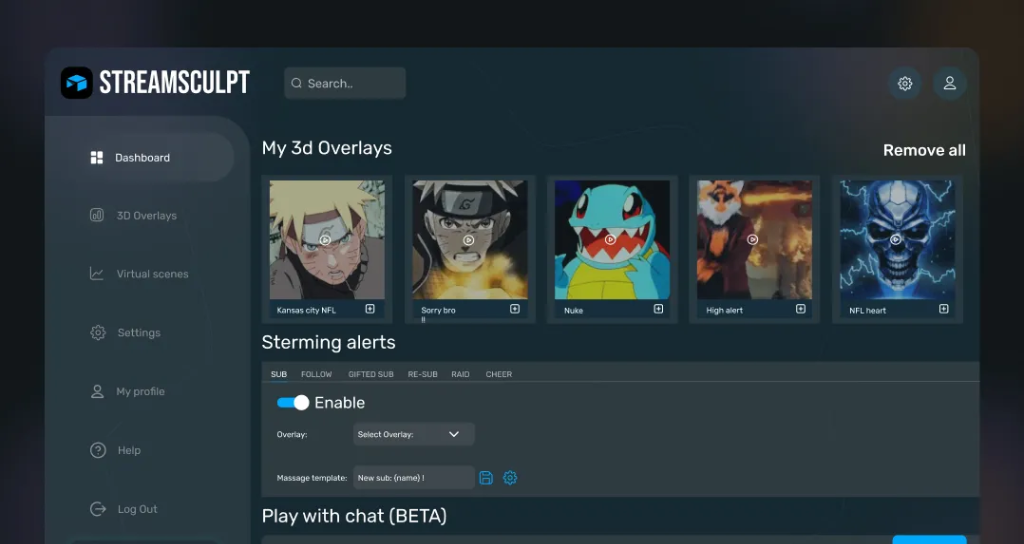
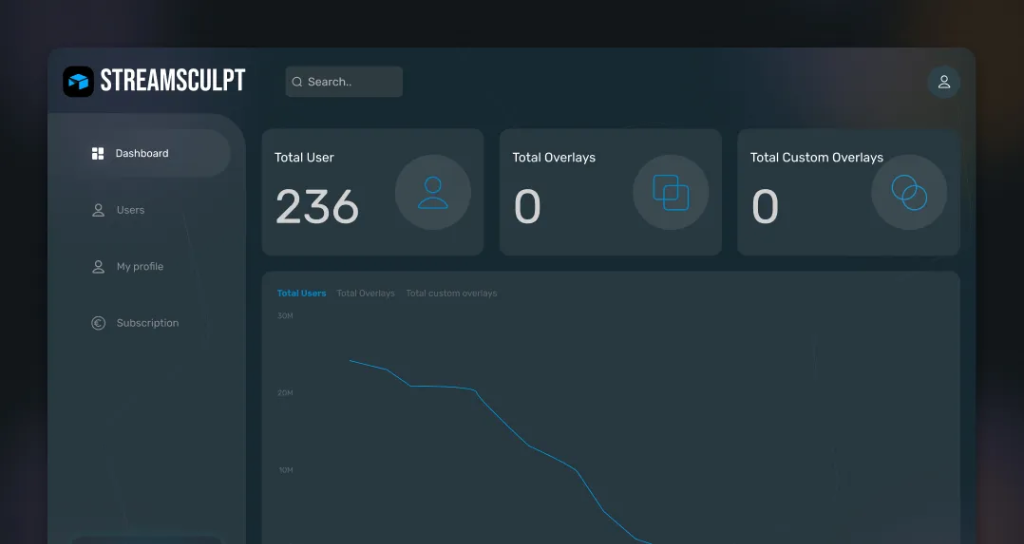
Users can manage saved 3D overlays, streaming configurations, alerts, events, and other application settings from their dashboard.
3D Overlays
Streamers can select from a range of 3D overlays to enhance their live video content with interactive visual elements.
Streaming Alerts
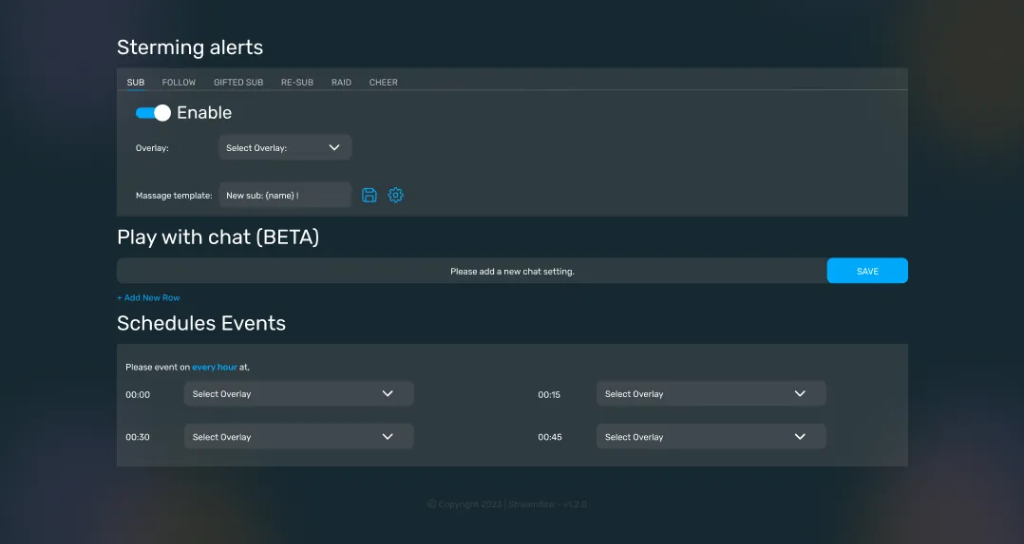
Users can configure alerts for different streaming activities, including subscriptions, new followers, gifted subscriptions, re-subscriptions, raids, and cheers.
Event Scheduling
Users can schedule streaming events at specific time intervals and assign different overlays to be displayed during the selected periods.
Message Templates
Users can create customized messages to display during live streams. They can configure text, font size, font type, position, bouncing effects, shadow effects, and other visual properties.
Custom Overlay
Users can request personalized 3D overlays designed around their branding and streaming requirements by submitting their requirements through a dedicated form.
Virtual Camera
The virtual camera allows the processed video feed to be accessed by other applications while the physical webcam is being used, supporting flexible streaming workflows.
Technology
| Frontend | ReactJS |
| Desktop Application | ElectronJS |
| Backend | Node.js |
| Database | MongoDB |
| Authentication | Twitch Integration |
| Streaming | Virtual Camera |
| AI | AI-based Streamer Recognition |
| Visual Technology | Augmented Reality & 3D Overlays |
Business Results
35%
Improved Viewer Engagement
Interactive AR elements, 3D overlays, and streaming alerts created a more engaging live-streaming experience.
30%
Improved Streaming Interactivity
Event scheduling, customizable alerts, and message templates enabled streamers to interact with viewers through dynamic content.
25%
Faster Streaming Setup
The simplified setup and centralized dashboard reduced the effort required to configure streaming features and overlays.
30%
Improved Streaming Flexibility
Virtual camera functionality enabled the processed video output to work with other applications, providing streamers with greater flexibility.
Product Gallery
Planning a Similar Mobile App Project?
Whether you’re building from scratch, modernizing an existing application, or expanding your engineering team, our experts are ready to help.
- 450+ Engineers
- 14+ Years
- Flexible Engagement
- US Business-Hour Collaboration
Frequently Asked Questions
StreamScuplt is a live video streaming tool with capabilities like AI, Augmented Reality, 3D Overlays, Streaming Alerts, and Virtual Camera.
Logging in to StreamScuplt is possible via a Twitch account.
Yes. The tool works by using a user’s webcam and placing AR and 3D elements on the live stream.
3D overlays enable streamers to put interactive objects into their streams.
Yes. It is possible to set up alerts for various actions like subscriptions, followers, gifted subs, resubs, raids, and cheers.
Yes. Schedule an event for specific time intervals and choose different overlays for each of them.
Yes. You can configure messages’ text, font size, font family, position, and effects like bouncing and shadows.
Yes. With a virtual camera, processed video will be sent to other apps, while the physical camera will be working.