


Convert ASP.Net application to ASP.Net Core using Upgrade Assistant

Introduction:
Information Technology came up with new ideas and technology on each day. Each day starts and something new comes up with lots of new features and functionalities. As we are using a website developed in ASP.Net to fulfill our requirements online, Now ASP.Net Core is available with the latest technology version in the market. Nowadays many big giant companies to small companies are using Asp.Net core to make websites more user-friendly and platform-independent. So, let’s explore more details of different aspects of Asp.Net core. Also,Hire Asp.net Core developers to get more help.
What is Asp.Net Core?
ASP.NET is a popular web-development framework for building web apps on the .NET platform. ASP.NET Core is the new version of the ASP.NET web framework mainly targeted to run on the .NET Core platform.
ASP.NET Core is the new version of the ASP.NET web framework mainly targeted to run on the .NET Core platform. ASP.NET Core was first released in 2016 and is a re-design of earlier Windows-only versions of ASP.NET.
Supports Multiple Platforms: ASP.NET Core applications can run on Windows, Linux, and Mac. So you don’t need to build different apps for different platforms using different frameworks. Like the rest of .NET, ASP.NET is open source on GitHub. .NET has over 100,000 contributions and 3,700 companies have already contributed.
Performance : ASP.NET Core no longer depends on System.Web.dll for browser-server communication. ASP.NET Core allows us to include packages that we need for our application. This reduces the request pipeline and improves performance and scalability.
IoC Container : It includes the built-in IoC container for automatic dependency injection which makes it maintainable and testable.
Integration with Modern UI Frameworks : It allows you to use and manage modern UI frameworks such as AngularJS, ReactJS, Umber, Bootstrap, etc. using Bower (a package manager for the web).
Hosting : ASP.NET Core web application can be hosted on multiple platforms with any web server such as IIS, Apache etc. It is not dependent only on IIS as a standard .NET Framework.
Code Sharing : It allows you to build a class library that can be used with other .NET frameworks such as .NET Framework 4.x or Mono. Thus a single code base can be shared across frameworks.
Side-by-Side App Versioning : ASP.NET Core runs on .NET Core, which supports the simultaneous running of multiple versions of applications.
Smaller Deployment Footprint : ASP.NET Core application runs on .NET Core, which is smaller than the full .NET Framework. So, the application which uses only a part of .NET Core will have a smaller deployment size. This reduces the deployment footprint.
Dependency Injection: Dependency Injection is in-built into Asp.Net Core.
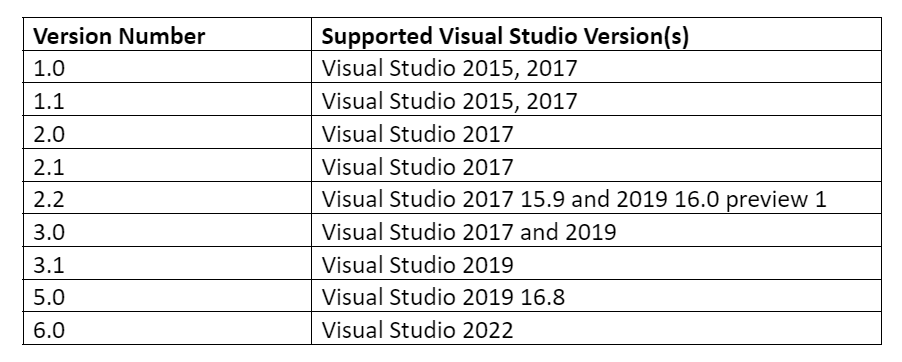
ASP.Net Core Versioning History
Steps to Convert existing Asp.net application to Asp.Net core.
Required S/W: Visual Studio 2022
Step-1: Create a new ASP.NET MVC project
- Open Visual Studio 2022 (Run as administrator) -> Create New Project
- Under Recent project templates ? ASP.NET Web Application (.NET Framework) and click on Next
- In Configuration your new project section ? set Project Name “WebAppMVC”, Select the proper location where to save this project.
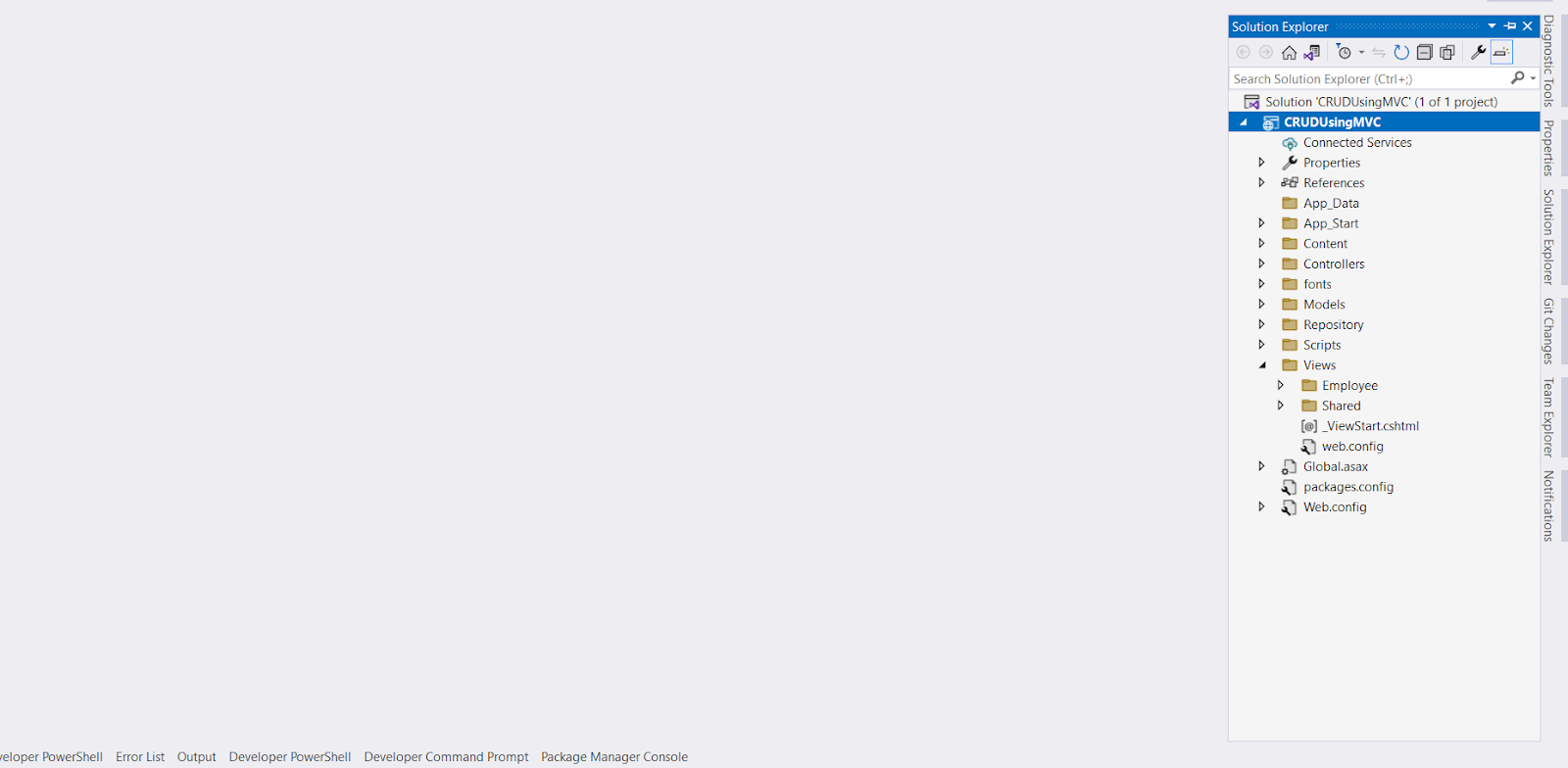
- Click on Create. Select the MVC option and click on create. Add all logic.
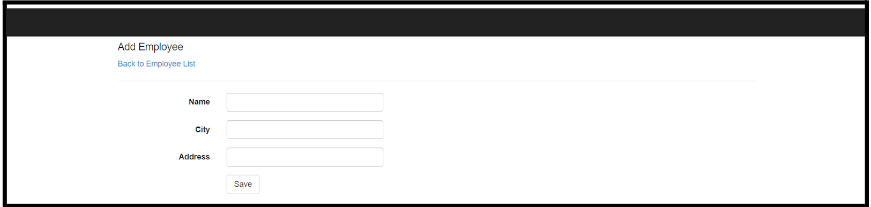
- Finally, run the application.

Step 2: Convert the above ASP.NET MVC project to ASP.NET Core 6.0 using .NET Upgrade Assistant.
What is .NET Upgrade Assistant?
NET Upgrade Assistant is a command-line tool that can be used to migrate different kinds of .NET applications. This tool was developed to provide assistance during the upgrading process of any application from .NET Framework to .NET 6. After running the tool, the application always requires some additional effort to complete the migration. This tool contains the installation process of analyzers which can provide help to us while completing the migration process.
- .NET Framework Windows Forms apps
- .NET Framework WPF apps
- .NET Framework ASP.NET MVC apps
- .NET Framework console apps
- .NET Framework class libraries
Install tool: dotnet tool install -g upgrade-assistant
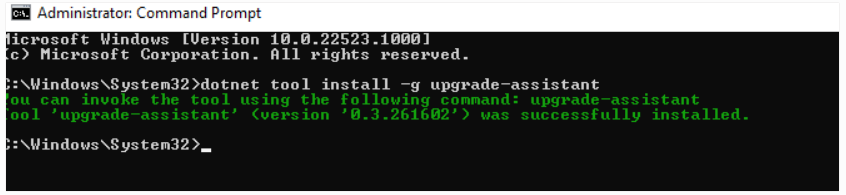
If you have already installed the .NET Upgrade Assistant tools, then you can upgrade the version by using the below commands
? dotnet tool update -g upgrade-assistant

Now, after the installation of the tools, we need to run the tools for our existing application project to upgrade into .NET 6.0 framework. So that opens the terminal and navigates to the folder where the target project or solution is located.
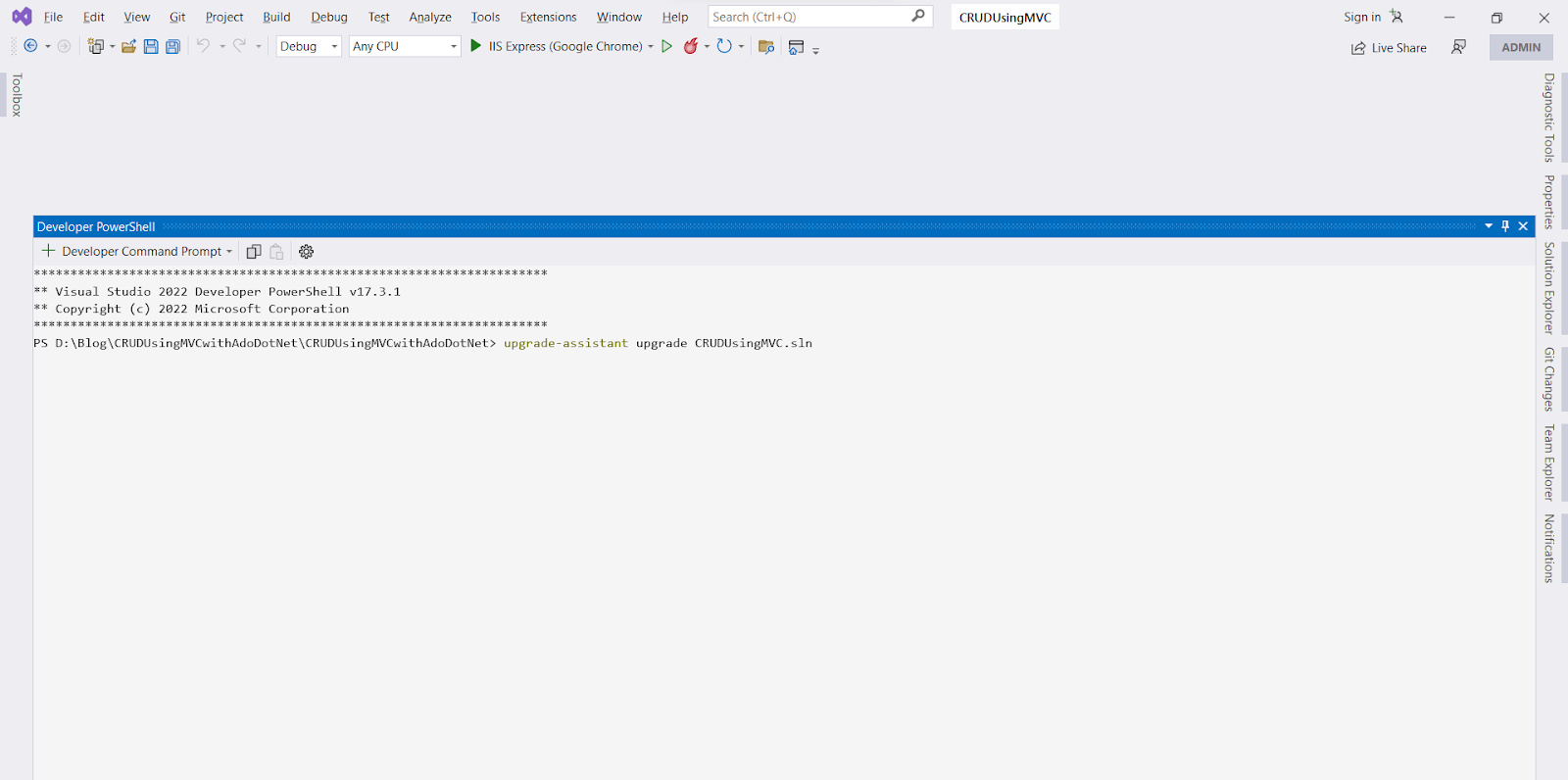
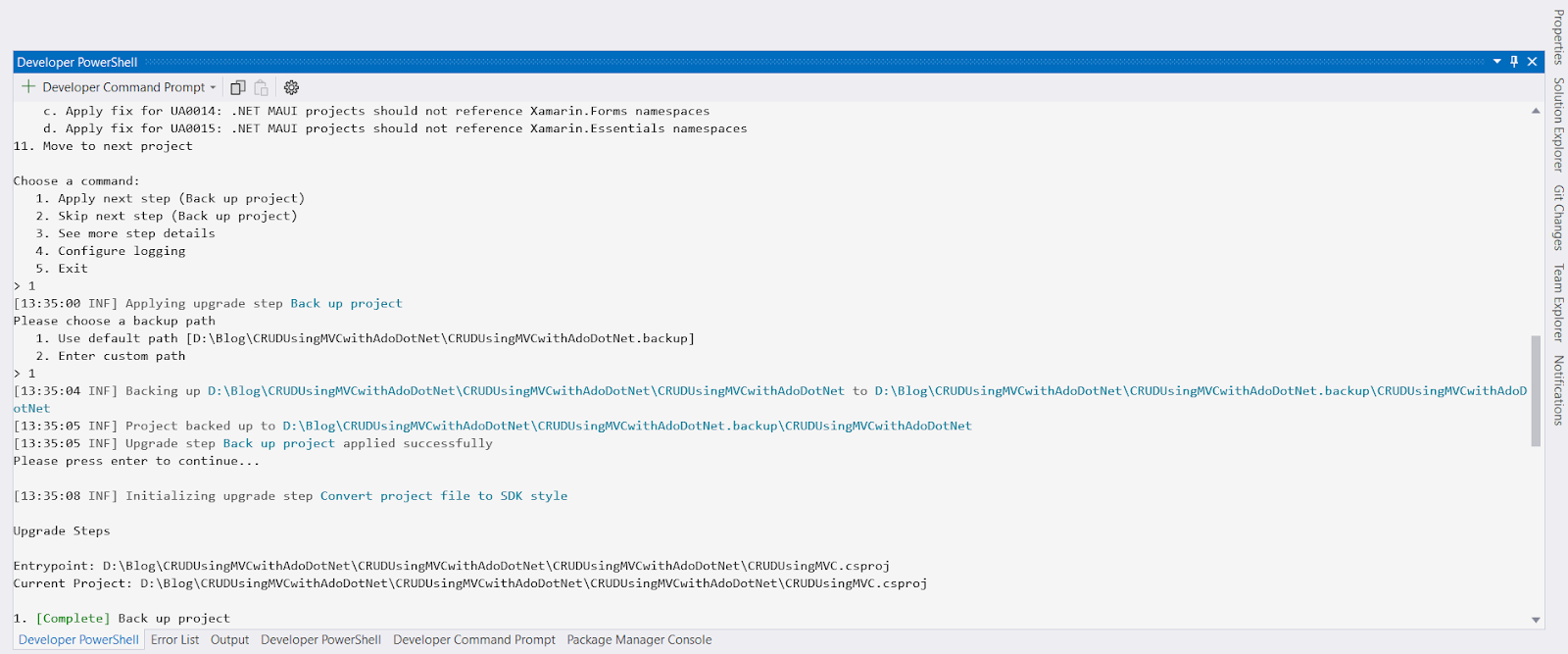
Step:1 Backup Project
Step-2 Convert project file to SDK Style
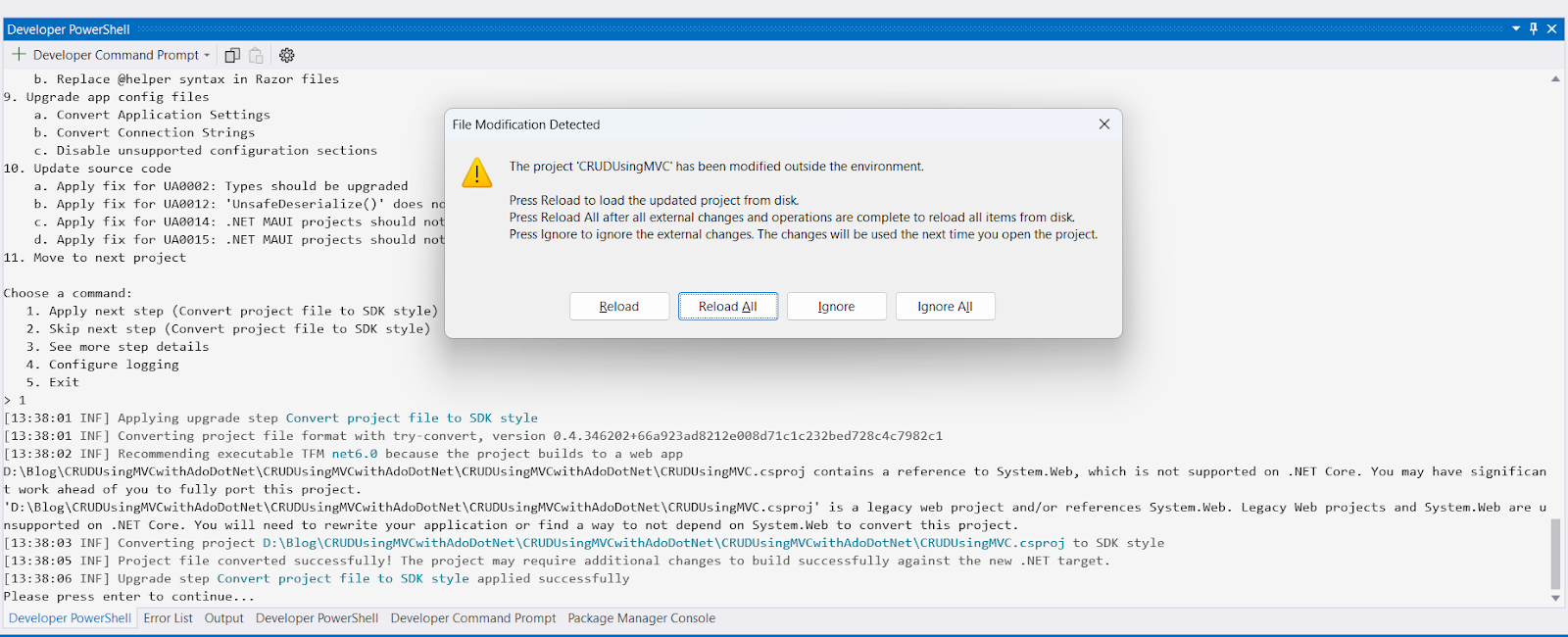
Step-3 Remove reference ‘System.Configuration’
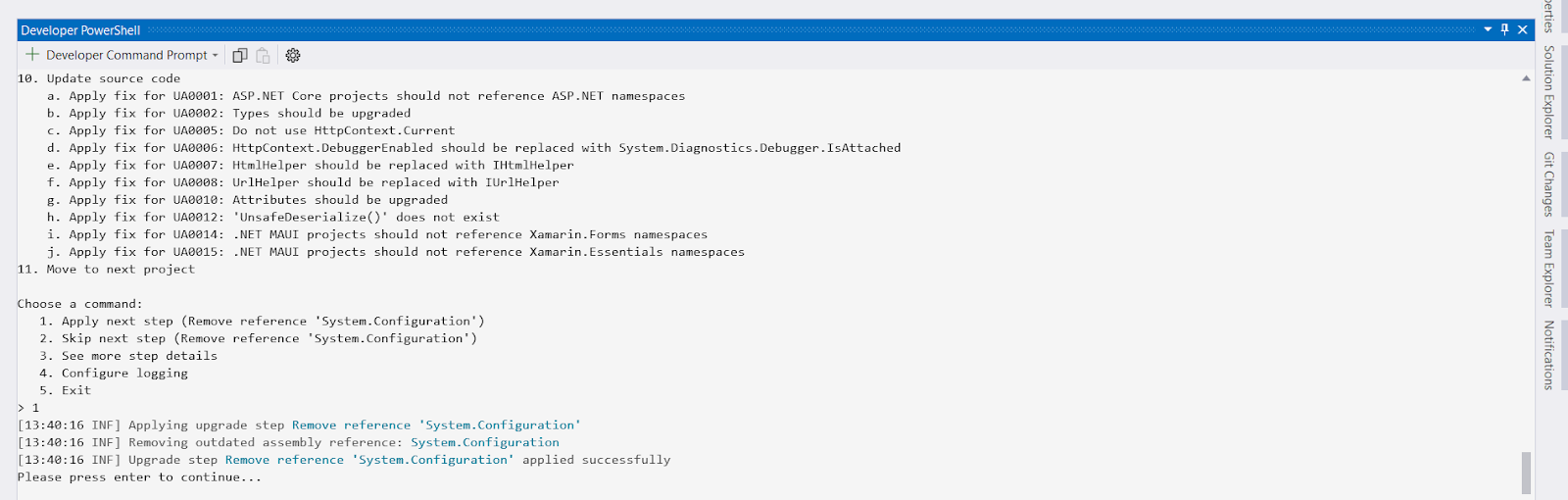
Step-4 Add package ‘System.Configuration.ConfigurationManager’
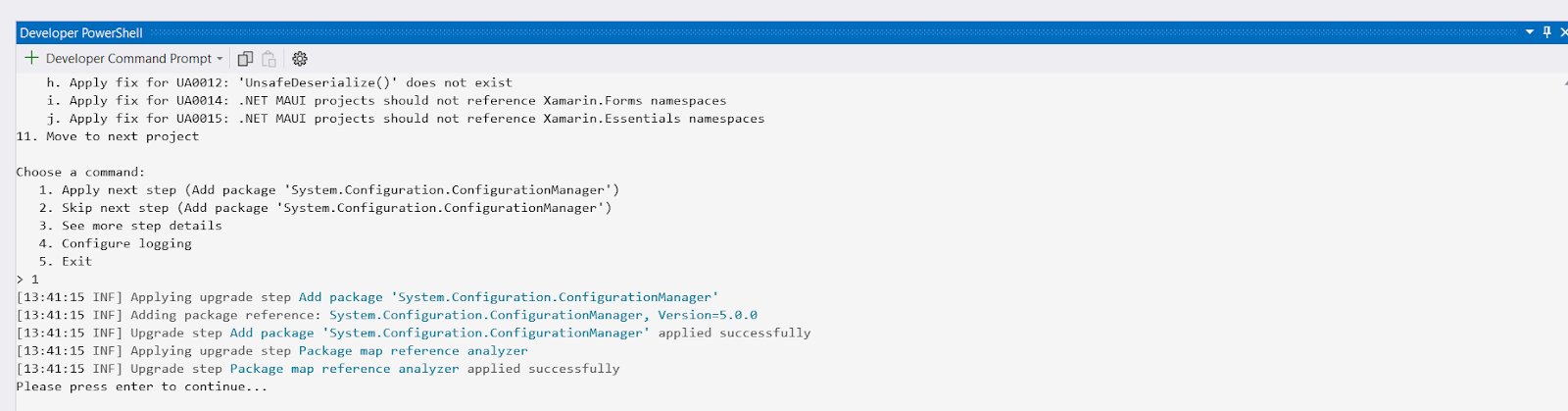
Step-5 Add package ‘Microsoft.DotNet.UpgradeAssistant.Extensions.Default.Analyzers’
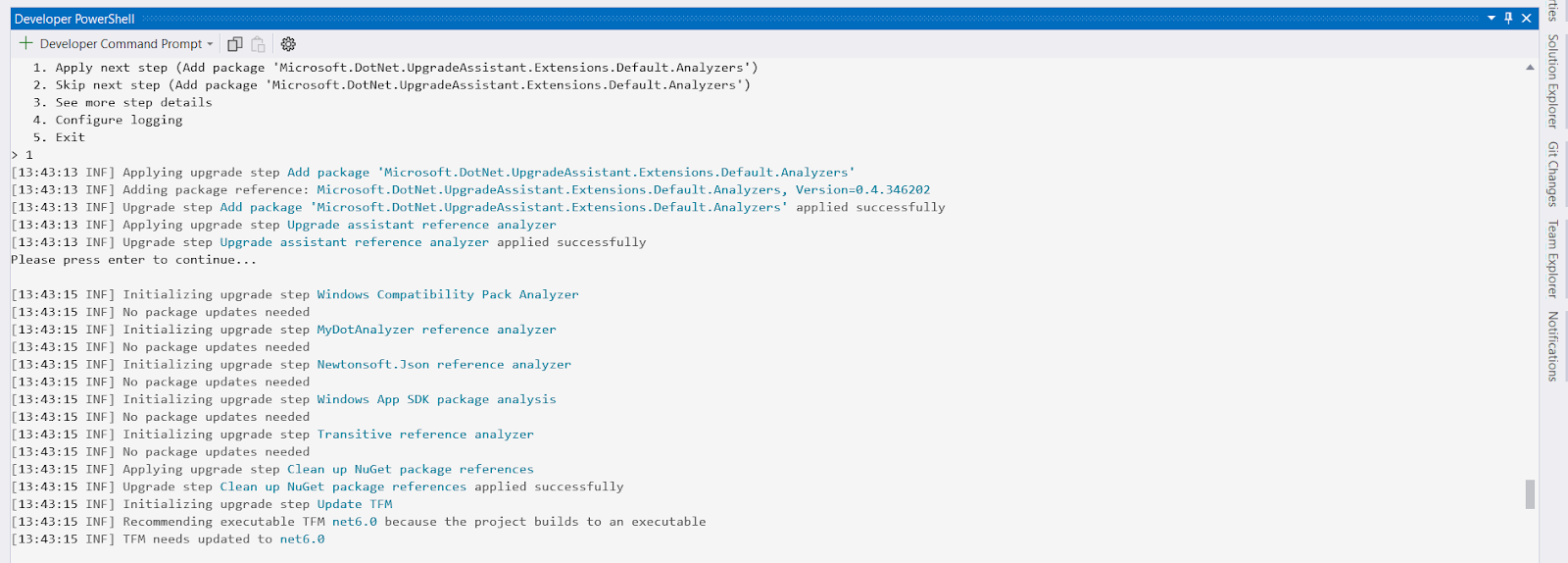
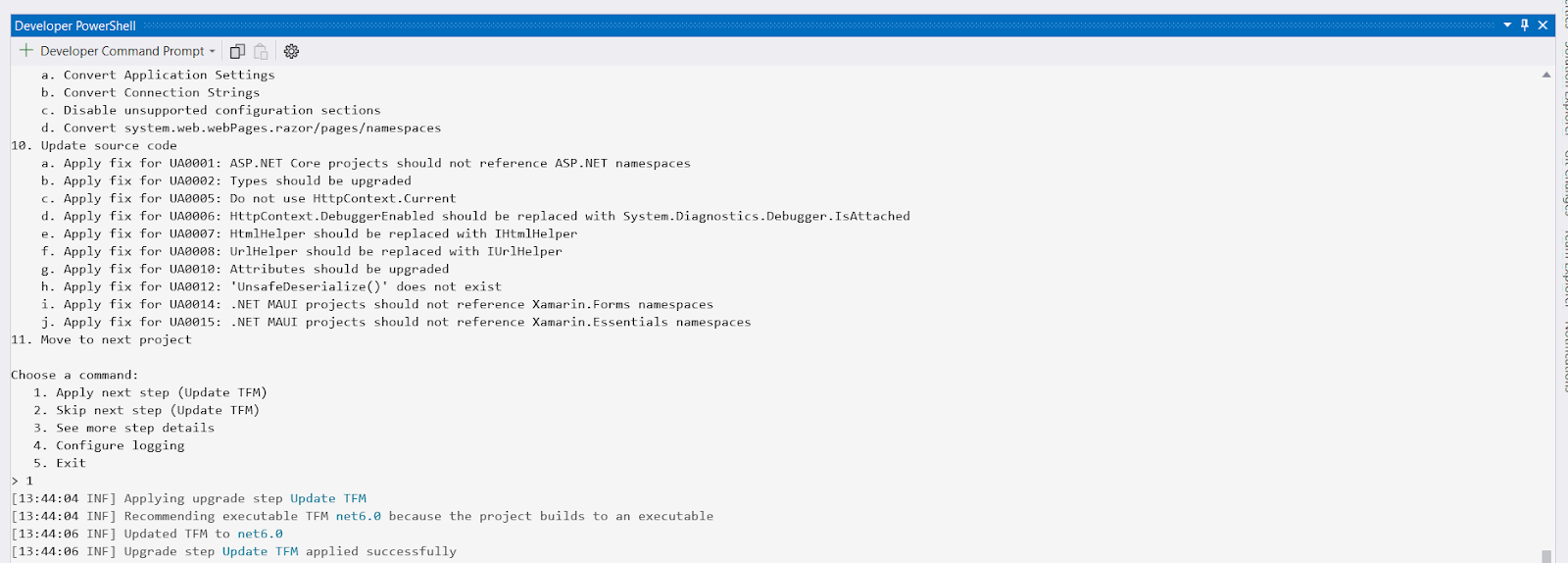
Step-6 Update TFM
Step-7 Add package ‘Microsoft.AspNetCore.MVC.NewtonsoftJson’
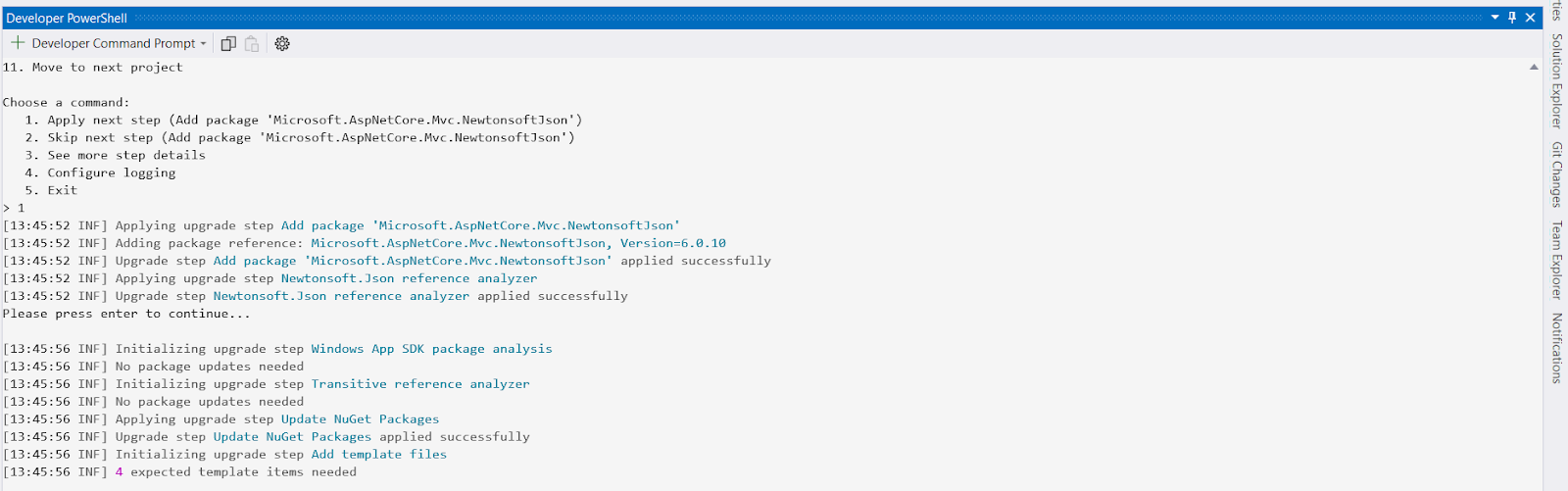
Step-8 Add template files
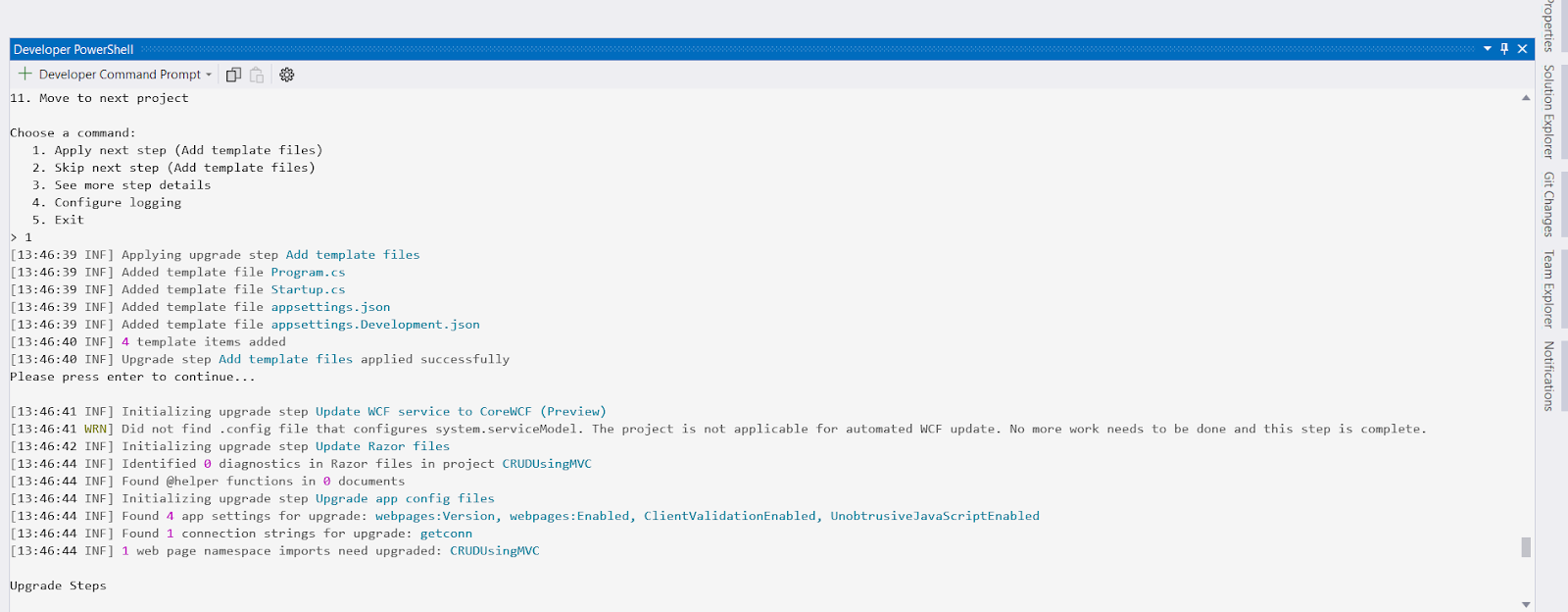
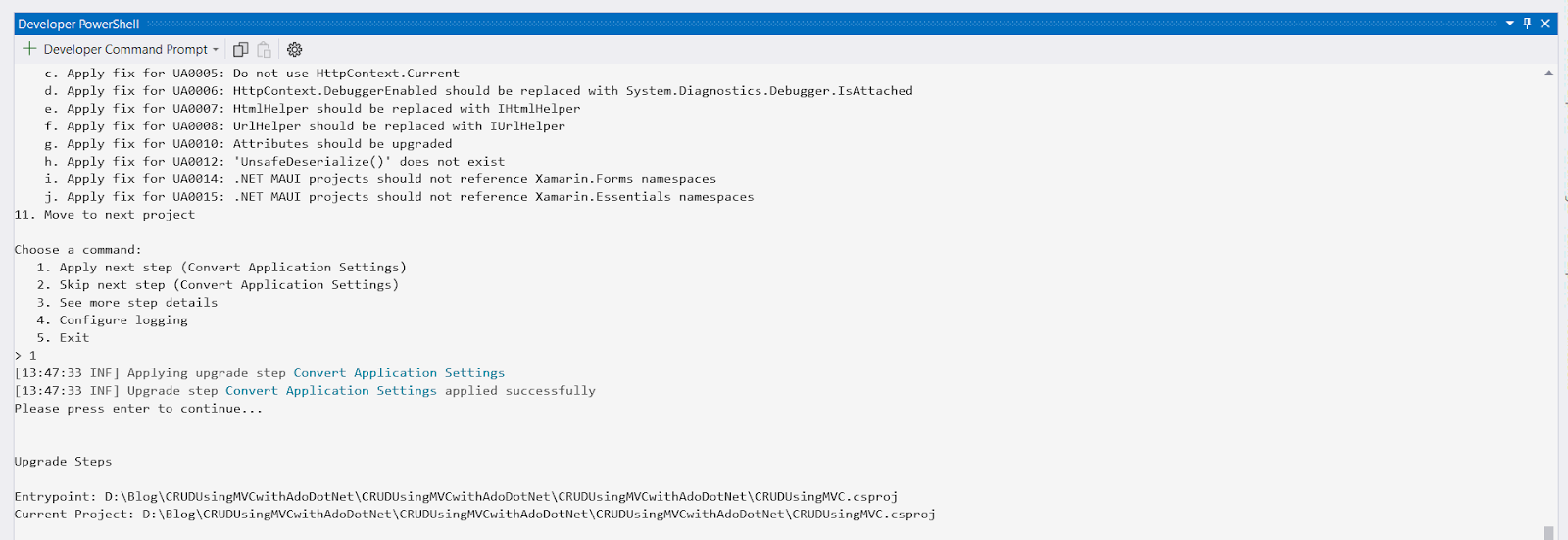
Step-9 Convert Application Settings
Step-10 Convert Connection String
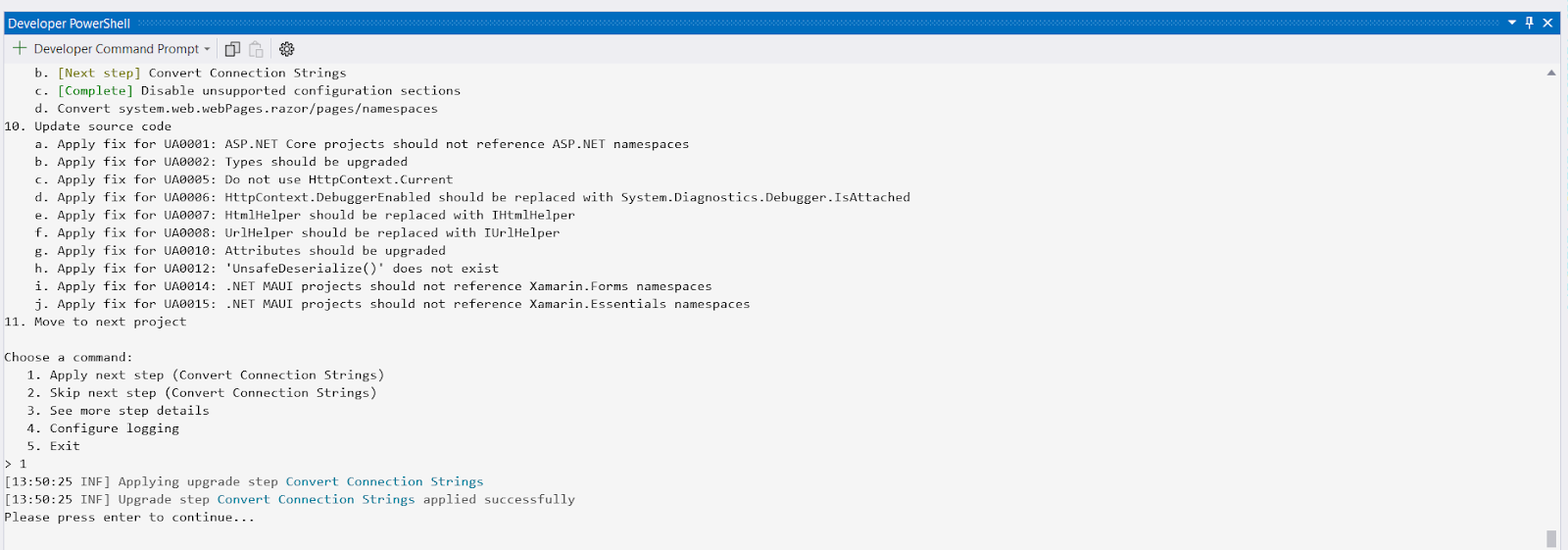
Step-11 Convert system.web.webPages.razor/pages/namespaces.
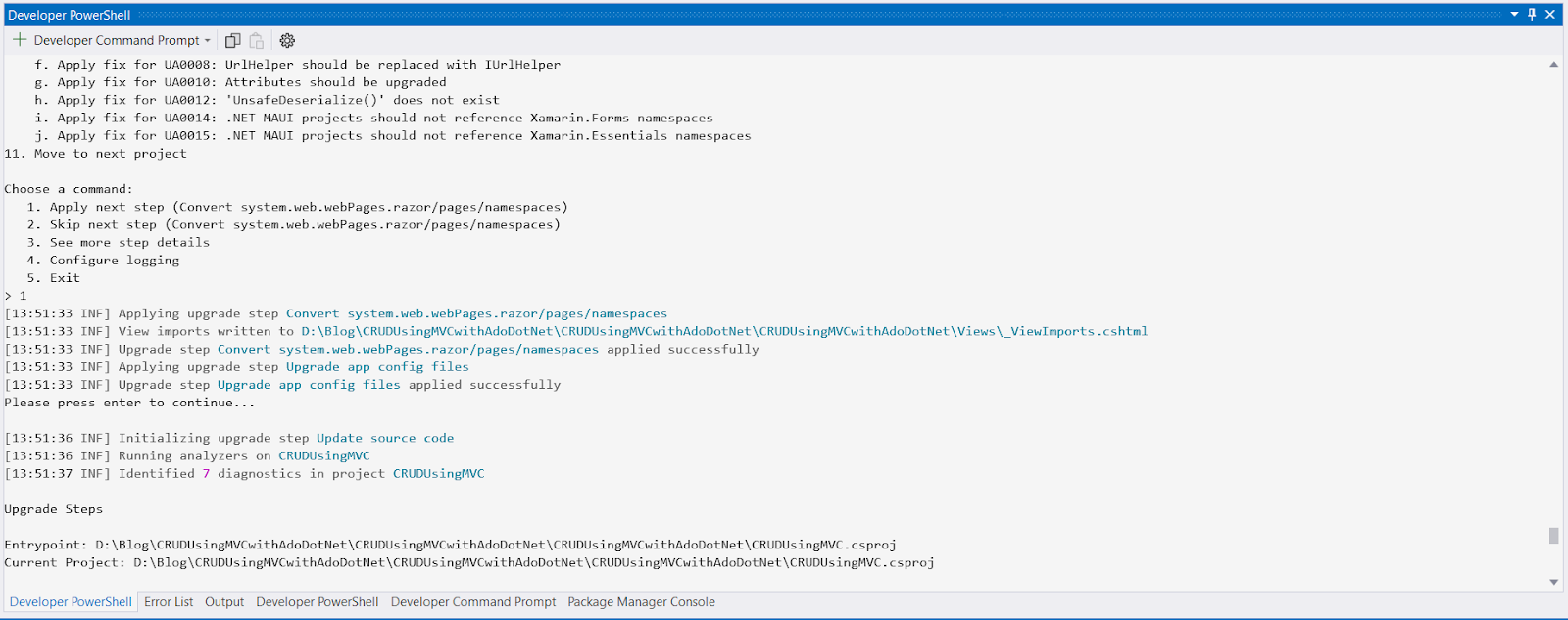
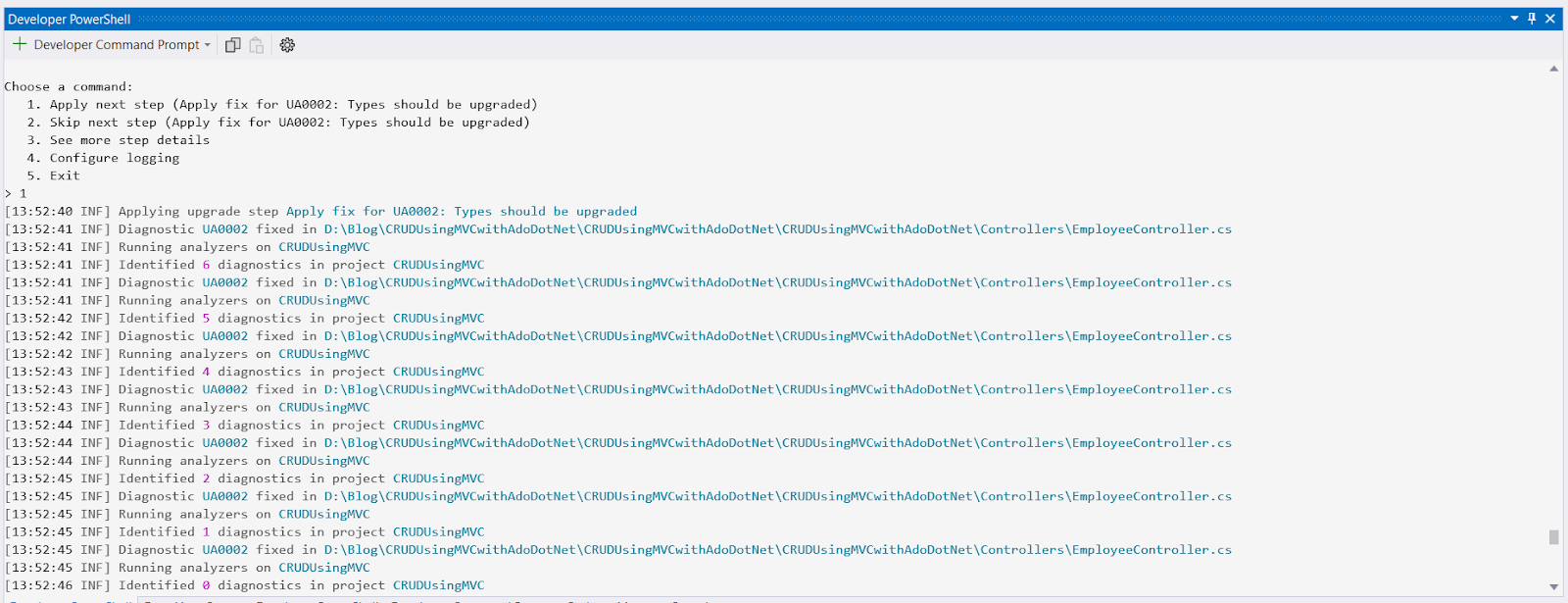
Step-12 Apply fixes for UA0002: Types should be upgraded.
Finally, the project converted to Asp.Net core MVC
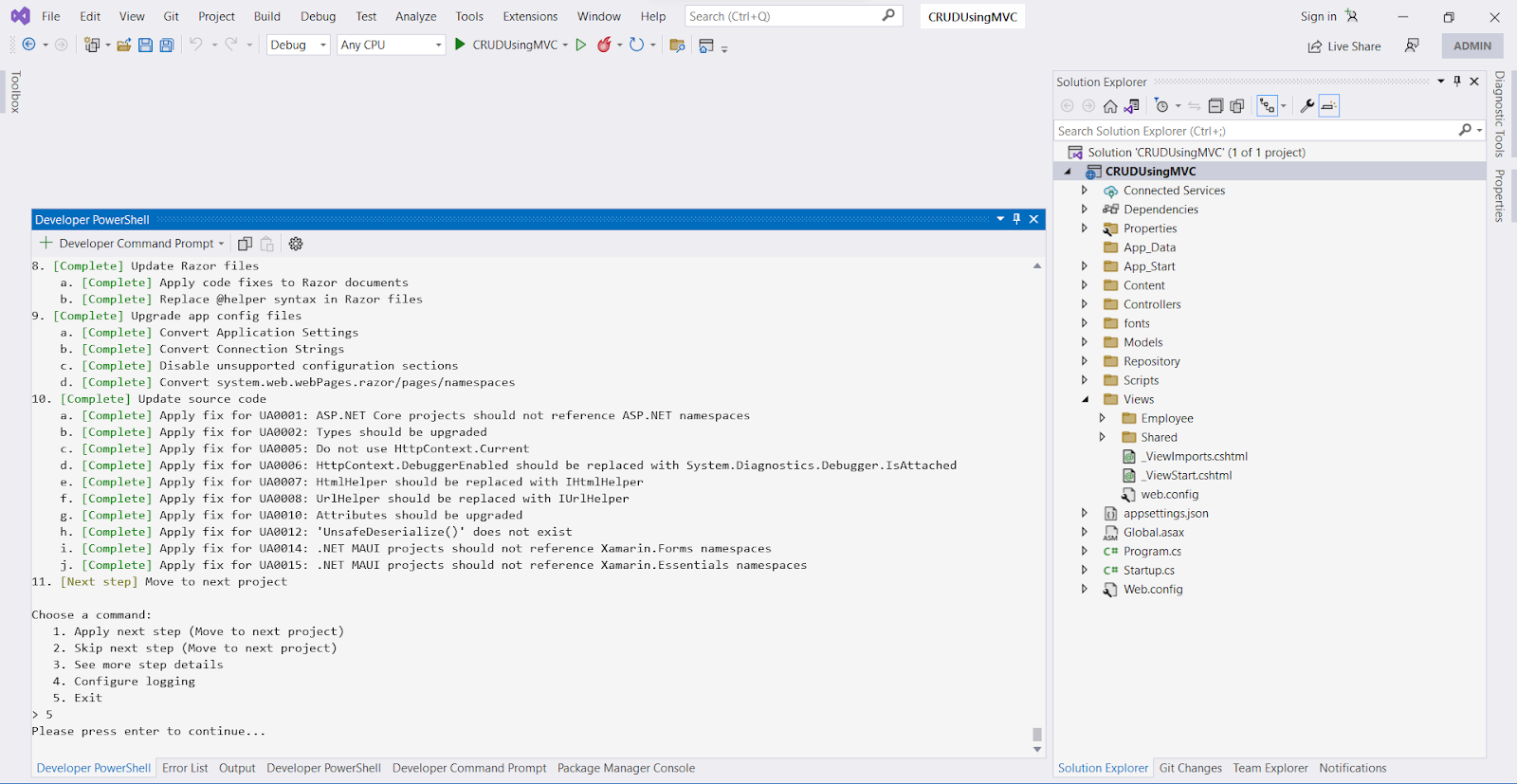
Remove Global.asax file
Remove App_Data, App_Start folders along with the files.
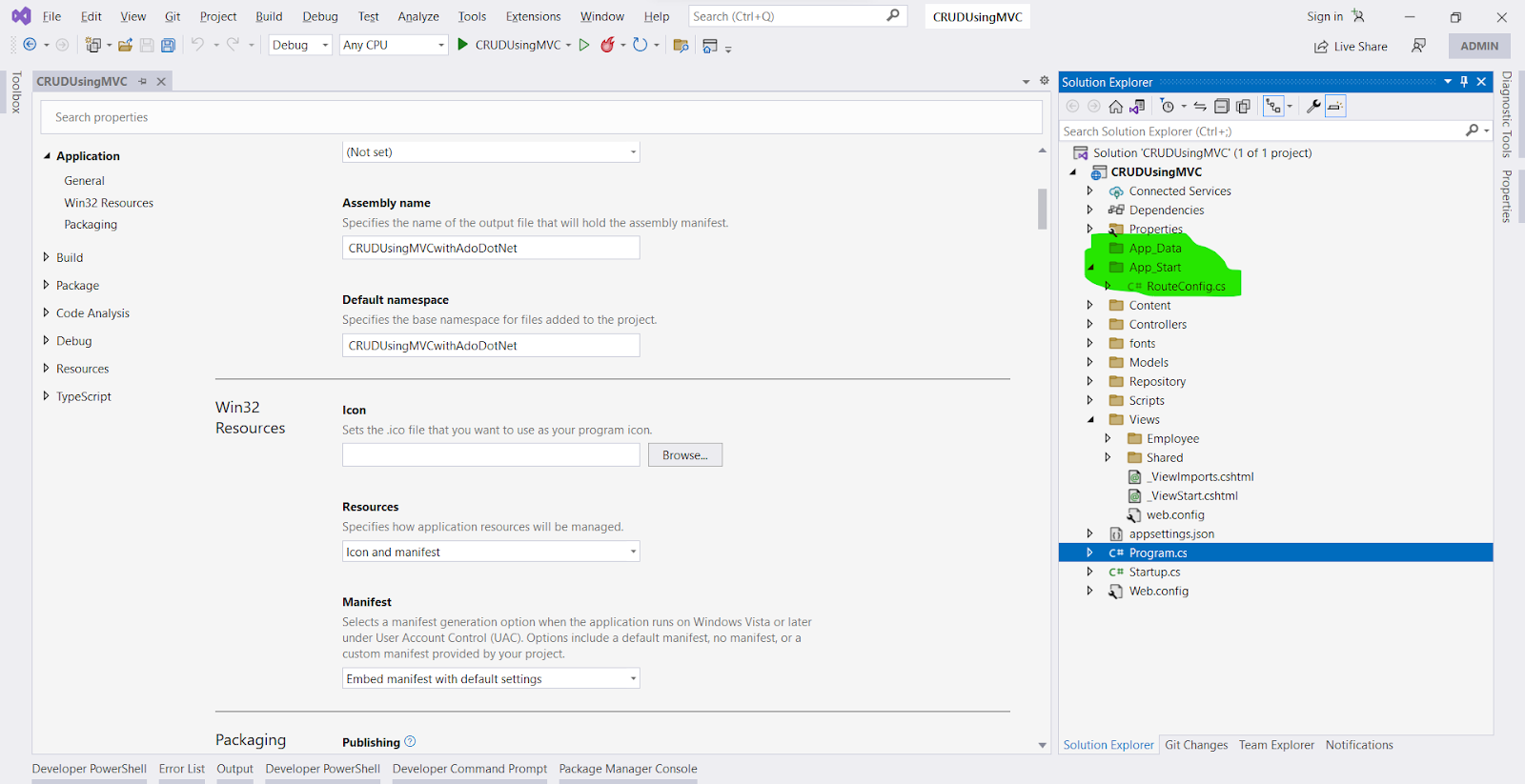
Add a new folder named wwwroot and move all Javascript files, images, CSS files inside.
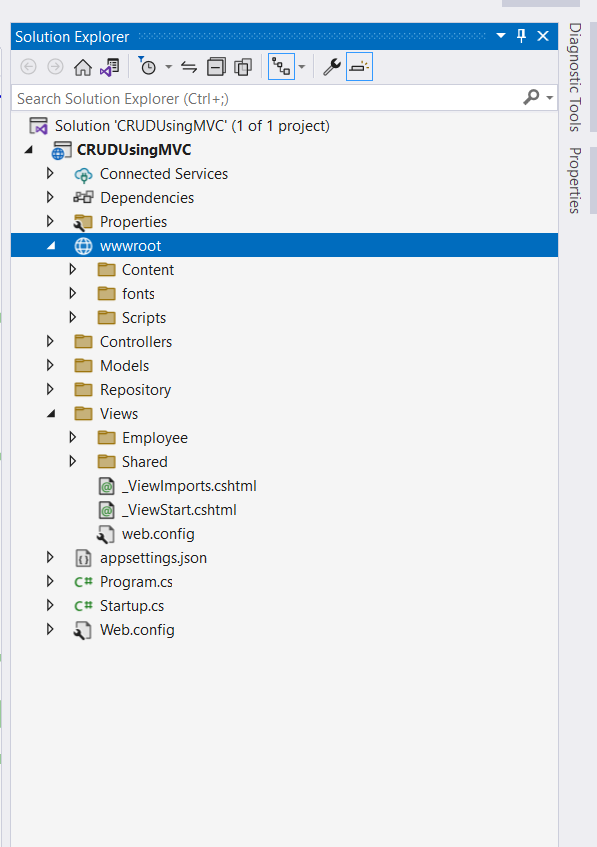
Replace “System.Web.MVC” with “Microsoft.AspNetCore.MVC” if any compilation error is found.
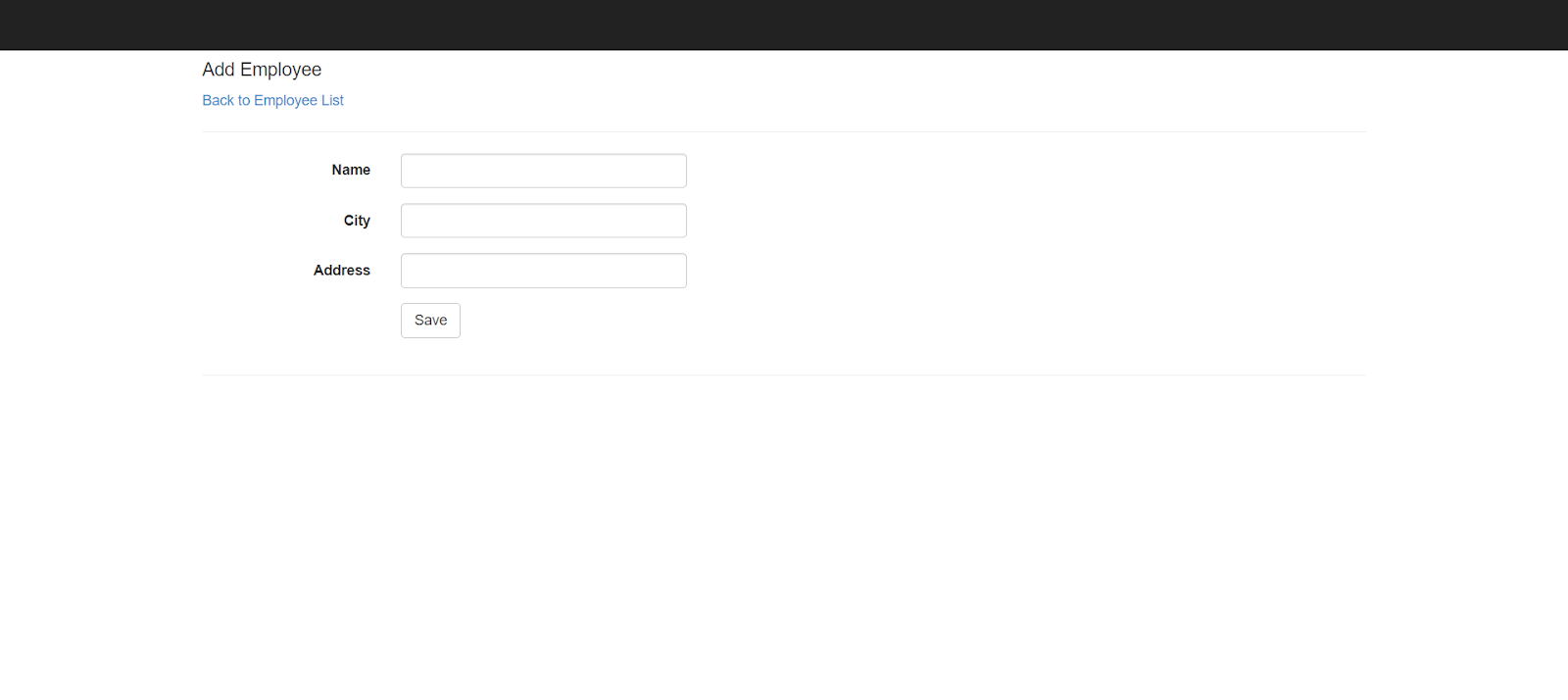
Rebuild and run the project.
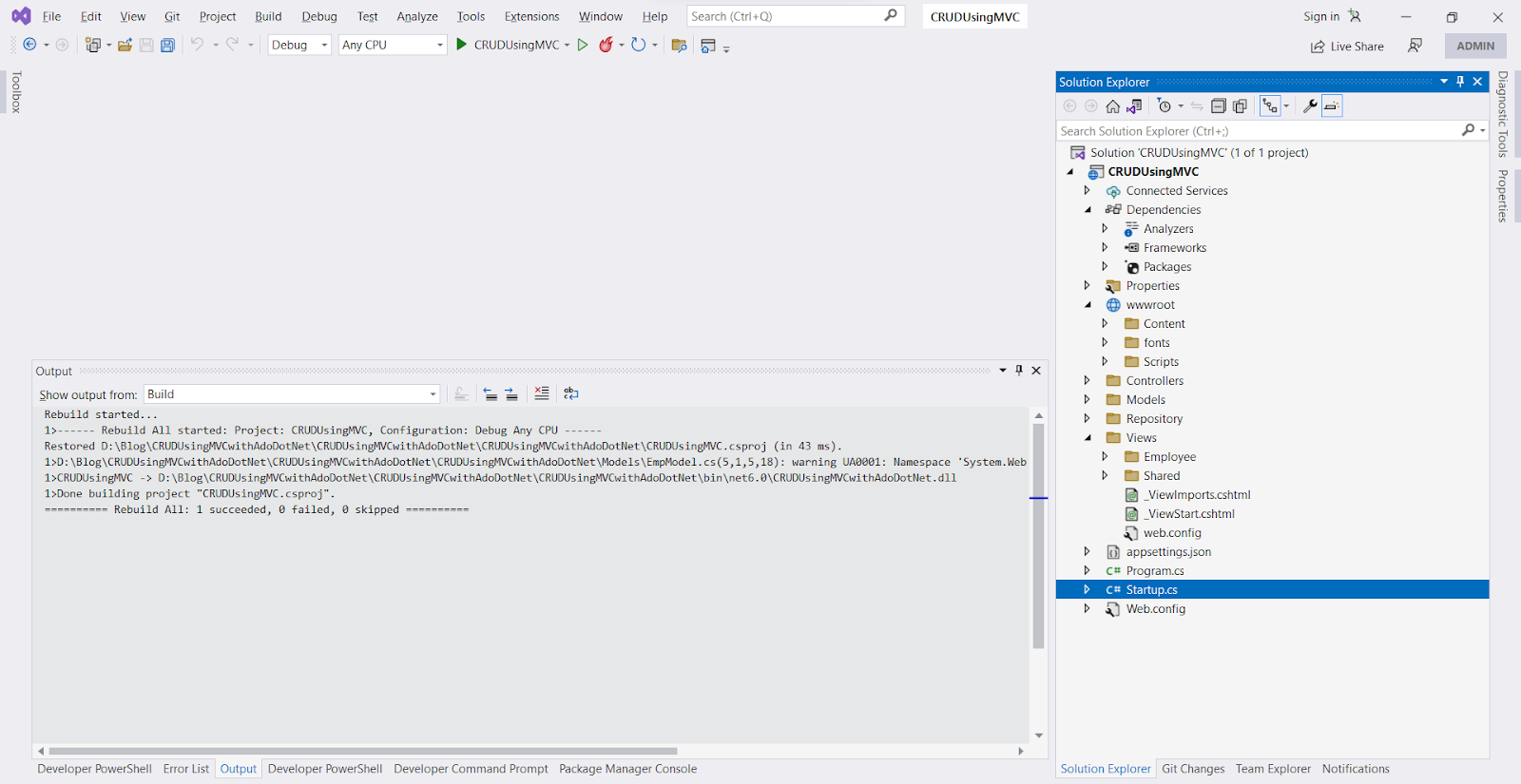
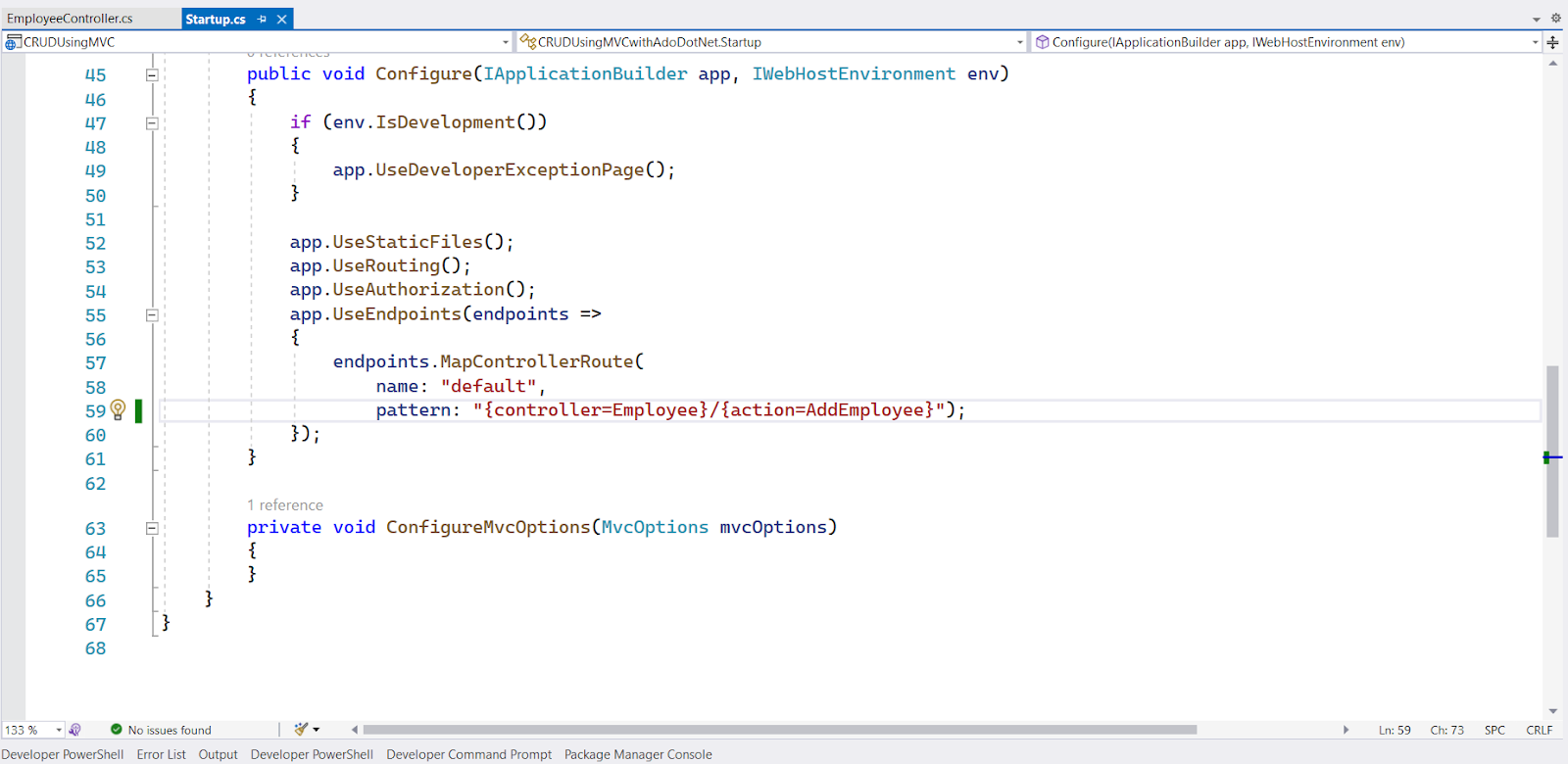
Modify Controller name in Start.cs class Configure method.
More articles on the topic
An app's user base using Firebase Analytics, a free and unlimited analytics solution. You'll be able to learn who your users are and how they interact with your app.
7 Min ReadFeb 27, 24

Nikhil Solanki
Mobile Lead at Manek Tech
Data Visualization technologies provide us with a proliferation of insights into the data obtained. Google and Microsoft, for instance, gather and utilize Big Data to shape the future of their commercial operations.
4 Min ReadFeb 29, 24

Ruchir Pandya
Delivery Head of Web at Manek Tech