


UX vs UI Design: What’s the Difference Between User Experience and User Interface Design?

Introduction:
In today’s digital world, users judge your product in seconds, and that judgment often comes from seeing UX and UI.Over 75% of usersjudge the website or app’s credibility from its design and aesthetic. Your UX and UI are the first impressions that users experience while using the product.94% of first impressions are made based on this, hence, it is a very important factor to look out for.
Many people get confused between UX vs UI Design because both are related to the look and feel. This article will clear all your confusion related to ui design vs ux design and help you make a useful business decision. If your app or product is not performing good, UI/UX can be the reason you must look.
Let’s start with a basic definition to get a better idea.
What is UI?
UI, or User Interface, is about how things look on a screen. It includes all the visual elements a user interacts with”like buttons, menus, icons, colors, and fonts. If your app or website were a house, UI would be the paint, furniture, and decorations. It’s the design that catches your eye and helps you navigate the space easily. A well-designed UI makes the product feel clean, intuitive, and pleasant to use.
What is UX?
UX, or User Experience, is about how things feel when you use a product. It focuses on the overall experience a user has”from how easy it is to complete a task to how smooth and satisfying the journey is. Sticking with the house example, UX is the layout of the rooms, how easy it is to find the bathroom, and whether you feel comfortable inside. A good UX ensures your users don’t get frustrated or lost”it helps them achieve what they came to do quickly and happily.
Why is it Important to Understand the Difference Between UX vs UI Design?
You can only use UI/UX in a better way for creating a successful product if you understand their difference and purposes well. Here is why it’s important to know the UX vs UI Design difference.

- Different Roles, One Goal: UX is about functionality and ease of use, while UI is about appearance and interaction.
- Better Team Collaboration: It helps designers and developers to understand their roles and communicate related to projects without confusion.
- Improved product quality: UX makes sure products work well, and UI ensures the product is appealing. When used together, they create a great user experience.
- User-Centered Design: You can create user-specific designs by focusing on suitable interface parts and functional parts.
How are UX and UI Relatable? What are the Similarities in Both?
UX and UI are closely relatable because both contribute towards the good user experience. You need both of them to make the product look attractive and make it easy to use for users.
You can say UX and UI are parts of the same puzzle that work towards making the user journey engaging and easier.
UX is the first step that involves identifying user needs, user research, and other things to create wireframes and designs according to business-specific needs and target users. And then comes the user interface, with the help of UX designs, experts prepare interfaces to allow users to interact with the product.
Similarities Between UX and UI:
- User-Focused “ Both aim to make things better for the end user.
- Design-Centered “ Each involves thoughtful design choices to improve the product.
- Problem Solving “ They help solve user pain points”UX through structure, UI through clarity.
- Need Research & Testing “ Both rely on user feedback and testing to improve.
- Work Best Together “ A good product needs both solid UX and appealing UI to succeed.
What Are the Responsibilities of a UX and UI Designer?
UX and UI designers both have different roles and responsibilities; let’s go through both of them one by one.
Responsibilities of a UX designer:
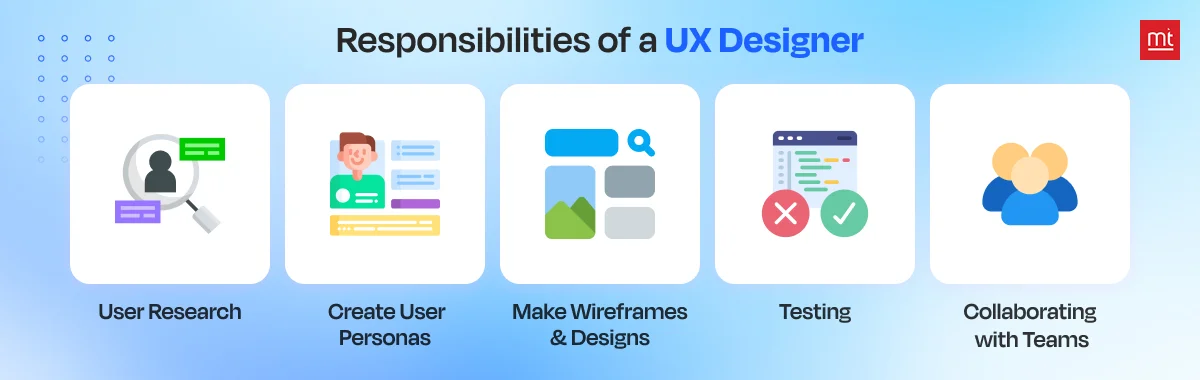
- User research : UX designers conduct interviews, surveys for their competitor analysis, and collect all the required information from users to understand pain points, behaviours, and other preferences.
- Create user personas : After UX research, they create different user personas according to different user categories. These are fictional profiles for understanding key elements and services of the app.
- Make wireframes and designs : They create designs and wireframes similar to the real product to get an idea of how the real product will look and perform. It includes buttons, text, features, and more. This way, the team can plan the layout and user flow before visual design starts.
- Testing: Once designs are ready, UX designers test them with real users through usability testing or it can be feedback sessions. The goal is to find out if people can use the product easily, or if there is any trouble using a suitable feature. Based on this, they make improvements before starting development.
- Collaborating with teams : lastly, they collaborate with UI designers, developers, product managers, and marketers. They explain design decisions, share user insights, and make sure the final product stays user-friendly throughout the development process.
Responsibilities of a UI Designer:
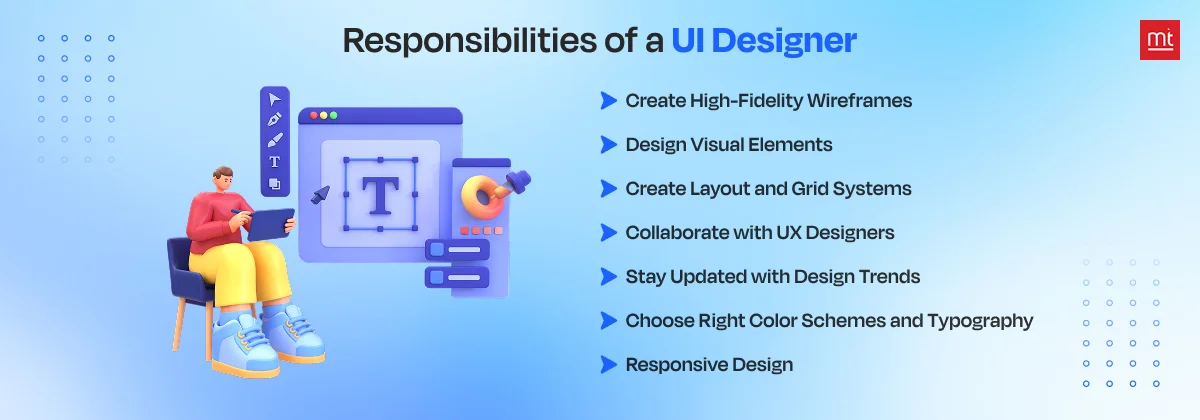
1. Create High-Fidelity Wireframes: Once the UX designer shares low-fidelity wireframes and user flow, the UI designer turns them into high-fidelity wireframes. These are polished layouts that include visuals like icons, buttons, and color schemes. They help the team visualize the final look and ensure every element is placed correctly before moving into development.
2. Design Visual Elements: UI designers are in charge of the visual side of things, choosing the right colors, fonts, icons, and imagery to make the app or website look great. They focus on creating a style that’s visually appealing, brand-aligned, and consistent across all screens to ensure a smooth and attractive user experience.
3. Create Layout and Grid Systems: UI designers create structured layouts and use grid systems to organize content clearly on the screen. This keeps the interface neat, user-friendly, and balanced. A well-planned layout makes navigation intuitive and helps users easily find what they’re looking for without feeling overwhelmed or confused.
4. Collaborate with UX Designers: UI designers work closely with UX designers to turn research and wireframes into actual designs. While UX focuses on user needs and flow, UI adds the visual layer. They coordinate with developers and other team members to make sure the product looks great and functions smoothly for real users.
5. Stay Updated with Design Trends: UI design is always evolving. Designers need to stay in the loop with new tools, techniques, and trends. This helps them craft modern, competitive, and relevant user interfaces. By applying current best practices, they ensure the product looks fresh and functions effectively across the latest devices and platforms.
6. Choose Right Color Schemes and Typography: Picking the right colors and fonts isn’t just about looks”it affects how users feel and interact with the product. UI designers carefully select color schemes and typefaces that reflect the brand and boost readability. They also make sure everything is accessible, considering contrast and font size for different users.
7. Responsive Design: UI designers make sure the interface looks and works well on all devices”phones, tablets, and desktops. This means adjusting layouts, buttons, and text to fit different screen sizes without losing usability or visual appeal. A responsive design ensures users get a seamless experience no matter what device they’re on.
UX vs UI: Side-by-Side Comparison Table
Below is the detailed comparison table of User Experience vs User Interface Design to get more clarity into other factors.
| Factor | User Experience | User Interface |
|---|---|---|
| Core focus | How the product feels and works for users | How the product looks and presents itself visually |
| Primary goals | Solve user problems and create easy journeys | Create attractive and user-friendly interfaces |
| Scope | It is about the user journey from discovery to completion | It means touchpoints where users interact with the product |
| Process | Research, strategy, and structure come first | Visual design and implementation are done after UX. |
| Key Deliverables | User personas, journey maps, wireframes, and prototypes. | Style guides, mockups, animations, and final designs |
| Research Methods | User interviews, surveys, usability testing, analytics | Visual preference testing, A/B testing design variations |
| Required Skills | Psychology, research, problem-solving, and information architecture | Visual design, typography, color theory, and layout principles |
| Common Tools | Figma, Miro, UserTesting, Google Analytics | Figma, Sketch, Adobe Creative Suite, Principle |
| Thinking Approach | Can users complete their goals efficiently? | Is this visually clear and engaging to look at?” |
| Example Elements | Navigation flow, form length, feature placement, etc | Button colors, font choices, icon styles, and spacing |
| Team Collaboration | Works with researchers, product managers, and developers | Works with UX designers, brand teams, and developers |
| User Consideration | What users need and how they behave | What users see and how they visually interpret it |
Why Do Both UX and UI Matter for Your Business?
Both UX and UI matter because it affects engagement, user satisfaction, and revenue.
You can’t make a great product with just one, you need both. Great UI grabs attention and makes a strong first impression, brings initial interest, and clicks. But great UX is what keeps users happy, makes them stay, and ensures they can actually complete their purpose for what they are using the app, which helps to build loyalty and conversions.
Together, they create a complete, positive experience that makes your business stand out and grow.
Let’s understand with a coffee shop example: UI is the inviting sign, cozy seats, and pretty latte art”what makes people walk in and stay. UX is how easy it is to order, get your drink fast, and not feel confused by the menu, which makes them come back.
UX and UI in the Modern Era (2025 Trends)
There is no such place in the IT industry today where AI is not used. Even for UI/UX, AI is being useful to create a personalized experience by analyzing behavioural data and creating the user experience that works. Here are other modern UX/UI trends.
- Voice UI and gesture-based interactions: if you use Alexa or smartwatches, that voice and movements for hands-free control are modern UI/UX. This technology helps to access the useful features and use them conveniently without doing a physical click or swipe.
- Micro-interactions and motion design in UI : These are the subtle animations, like a button changing color when clicked or an icon briefly animating. This helps users to guide attention and provides instant feedback.
- Interactive Element: Mini Quiz: if you use any learning platform, you might have seen a mini quiz with an attractive UI/UX, this is modern UI/UX. It’s used in modern content to educate visitors about different trends, offer personalized insights based on their answers, and help users learn about complex topics in an easy way.
When to Hire UX vs UI Designers (Or Both)
If you want to decide whether you should hire a UX designer or a UI designer, start by figuring out your biggest pain point “ is your product hard to use (UX) or unappealing (UI)?
Hire UX Designers when:
- You’re building a new product.
- You want to redesign a boring flow.
- If your users struggle with tasks.
Hire UI Designers:
- If your product looks outdated.
- Your product is not visually appealing.
- Users find it hard to use and find useful features.
Hire both if you are launching a new product, rebranding, or need both functionality and aesthetics. You can either hire freelancers, a UI UX Design Services agency, or in-house designers, whatever suits your requirements.
Conclusion
Hope this article helped you understand the UX vs UI Design, and get clarity in depth. There is a very thin line between UI/UX, and most people get confused between UI vs UX as the term is usually used together. Consider the above things and implement UI/UX in the right manner in your upcoming project.
If you want to create a high-quality app with great aesthetics and features, hire remote developer India from Manektech to create something unique today.
More articles on the topic
An app's user base using Firebase Analytics, a free and unlimited analytics solution. You'll be able to learn who your users are and how they interact with your app.
7 Min ReadFeb 27, 24

Nikhil Solanki
Mobile Lead at Manek Tech
Data Visualization technologies provide us with a proliferation of insights into the data obtained. Google and Microsoft, for instance, gather and utilize Big Data to shape the future of their commercial operations.
4 Min ReadFeb 29, 24
Ruchir Pandya
Delivery Head of Web at Manek Tech