

![How To Build An AI App? A Business Owner’s Roadmap for 2026 [Steps + Cost + Timeline]](../../assets/images/blog-banner.webp)
How To Build An AI App? A Business Owner’s Roadmap for 2026 [Steps + Cost + Timeline]

Key Takeaways:
How to build an app with AI? This is the big question for most modern business owners today. In this blog, you will learn the complete development steps for an AI app from idea validation and selecting AI models to designing, building, and launching the app.
You’ll also understand the cost, timeline, and key steps, tips, and other important things that impact AI app development. This also discusses real-world challenges and solutions every business owner should know. If you want to build or make an AI app in 2025, read this blog to get the clarity and direction you need.
Also below mentioned questions align with the pain points and goals of business owners, giving them clarity and confidence to start their AI app journey.
- Why should I think about development of AI app for my business in 2025?
- What are the main differences between traditional apps and AI apps?
- What are the step by step stages of AI app development, from an idea to deployment?
- What kinds of challenges would I encounter while building an AI app, and what are possible solutions to overcome them?
- What is the cost of building different types of AI app (basic, intermediate, advanced)?
- How can a company like ManekTech help create a scalable, profitable AI app?
Introduction:
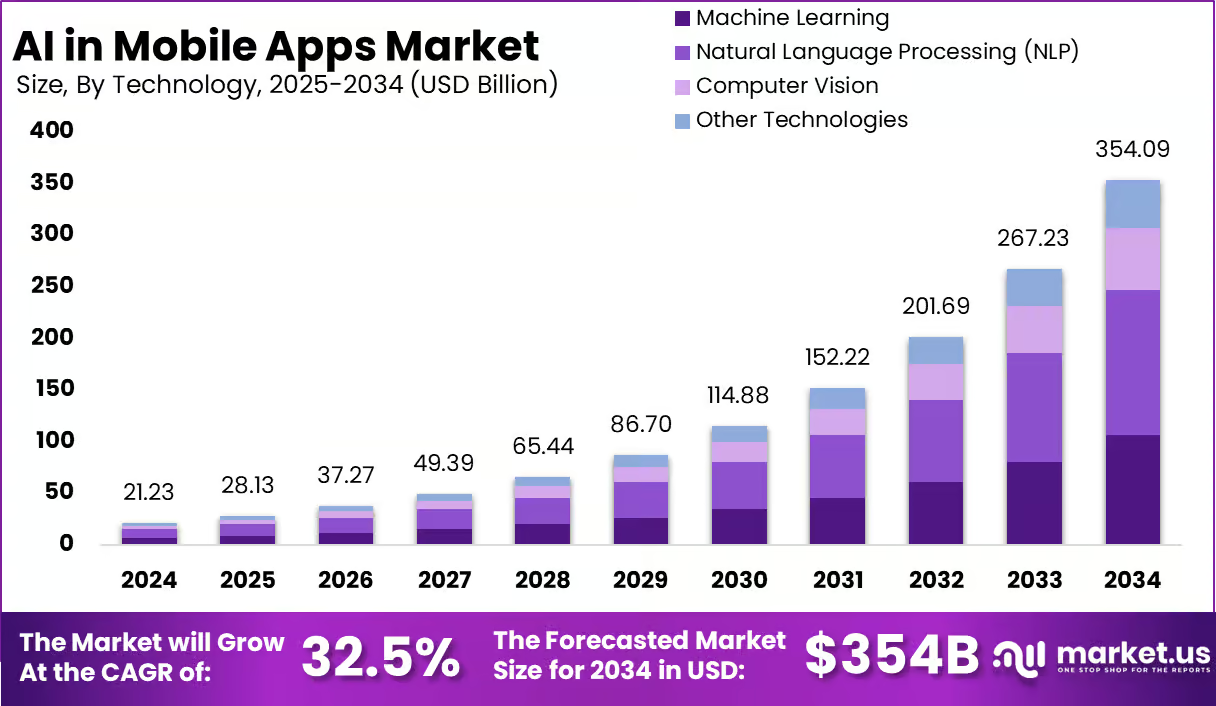
Have you ever thought about how Netflix recommends the shows and movies according to your taste? How does the Amazon app show you products that you are in need of? This is personalization. Today’s customers expect businesses to understand them, remember their choices, and provide content relevant to them. Forbes research says 91% of customers prefer to shop from brands that offer a personalized experience. 82% of users share their personal information because of personalization. 44% customers will return to the same brand after experiencing a personalized experience. This level of personalization is only possible by implementing AI in the app. According to past data, AI-powered apps have grown up to 70% between 2020 to 2023.AI apps made $1.8 billion in 2024 and are expected to reach $18.8 billion by 2028. Hence, investing in AI apps is definitely the fastest way to get a return on investment.
In this blog, you will learn how to build an AI app step by step, from strategy to deployment, choosing the right tech stack, and features tailored to your industry, audience, and goals.
What Are the Differences Between Traditional App vs AI Development Solutions?
Traditional app development apps are built using fixed rules and logically programmed by developers. While AI app development involves creating systems that learn from data and improve over time. Traditional apps are predictable and static, while AI apps adapt based on user behavior or inputs. AI apps also require machine learning models, training data, and continuous optimization. Hence, these are complex to create. Traditional apps are easy to build and maintain, but AI apps offer a more dynamic and personalized experience.
| Criteria | Traditional Applications | AI-Powered Applications |
| Adaptability | Static functionality requiring manual updates | Continuously learns and self-adapts based on new data and usage |
| Automation | Limited or no automation capabilities | Automates repetitive tasks and delivers intelligent data insights |
| Personalization | Basic customization driven by user input | Provides highly personalized experiences through behavior analysis |
| Data Processing | Relies on predefined, static algorithms | Leverages advanced analytics to process data and make informed decisions |
| User Interaction | Reactive “ responds only to direct user input | Proactive “ evolves through ongoing interactions to enhance engagement |
| Operational Capabilities | Functions within fixed, predefined parameters | Employs AI for predictive decision-making and continuous optimization |
What Are the Key Benefits of Building an AI App for Your Business?
Today, customer expectations are continuously changing, so it’s important to learn from users, predict behavior, and respond in real time. This can only be done by using AI in the app. If you’re considering to build an AI app, here are the key benefits an AI app will provide to your business.
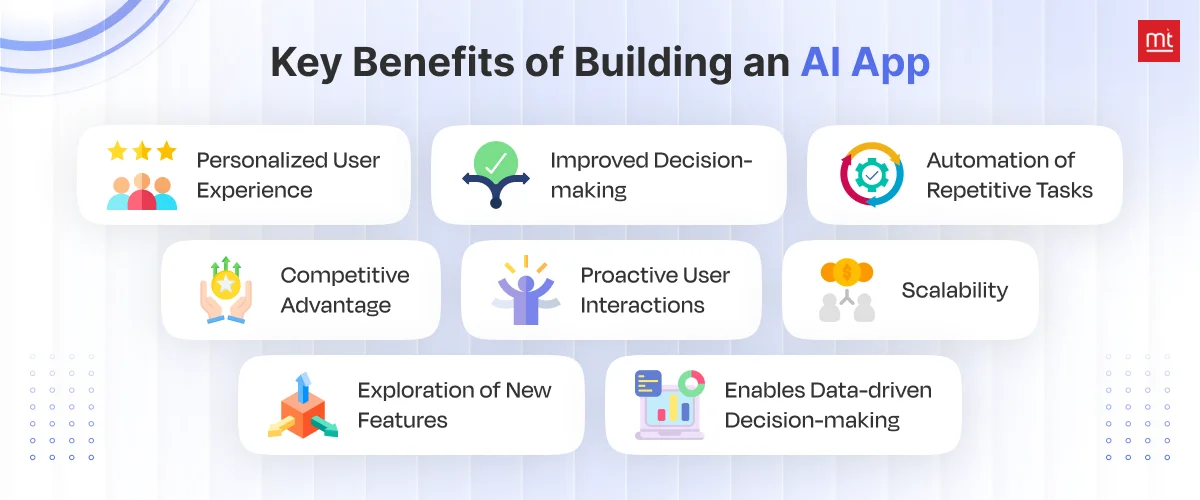
1. Personalized User Experience
AI apps will help to offer a personalized user experience according to the audience. It learns from user behaviour and their choices to give tailored content recommendations and features that benefit them most.
With an AI app, you can give product suggestions and send personalized messages customized to festivals and seasons to increase engagement with wider users.
2. Improved Decision-making
AI can process large amounts of data quickly and help find the latest trends. Hence, you can stay ahead of other competitors. Based on high-quality data, you can make a good decision that benefits your business and create a strategy accordingly.
AI app uses real-time data, which means you can predict the current customer needs as well as future requirements to plan the budget, marketing strategy and other factors.
3. Automation of Repetitive Tasks
With AI apps, you can automate the majority of your repetitive and time-consuming tasks like sorting emails, responding to basic queries, organizing data, expense calculation, and much more. This reduces manual workload and human error, and your team can focus on other high-value work without feeling overloaded.
4. Competitive Advantage
AI apps have lots of smart features that help run businesses in a smarter way. It enhances customer experience, completes every operation quickly. Adopting AI in business earlier helps you stay ahead of competitors and uniquely creates a strong edge in the market.
5. Proactive User Interactions
Instead of waiting for users to act, AI apps react faster to user needs and offer suggestions or support in real time. It can send smart notifications, reminders, or helpful tips based on user behavior. This keeps users engaged and makes your app feel more responsive and helpful.
6. Scalability
AI apps can easily handle growing users, a huge amount of data, data requests, and other things without impacting the business. You don’t need to spend extra money on rebuilding or reconfiguring the app as it adjusts and scales with your business. This keeps performance smooth even during peak demand.
7. Exploration of New Features
At any phase of business or AI app development, you can develop features like chatbots, voice assistants, image recognition, or predictive search. These features can add value to your app, improve user experience, and keep your product fresh and competitive.
8. Enables Data-driven Decision-making
Most of the AI app operations are based on what they learn from data and how the data is trained to perform. AI apps understand the customer behaviour better. By understanding the data like past histories of users, search history, and product preferences, you can plan your next move to generate profitable revenue.
What Innovative Key Features Should You Include in an AI Application
It’s important to include innovative features in an AI app that actually provide value to users. For this, you must think beyond the basics. Add personalized recommendations that adapt to users, or AI chatbots that handle conversations in real time. From gesture recognition and facial detection to real-time translation and health monitoring, these powerful AI-driven features will totally enhance the experience of how users interact with your app.
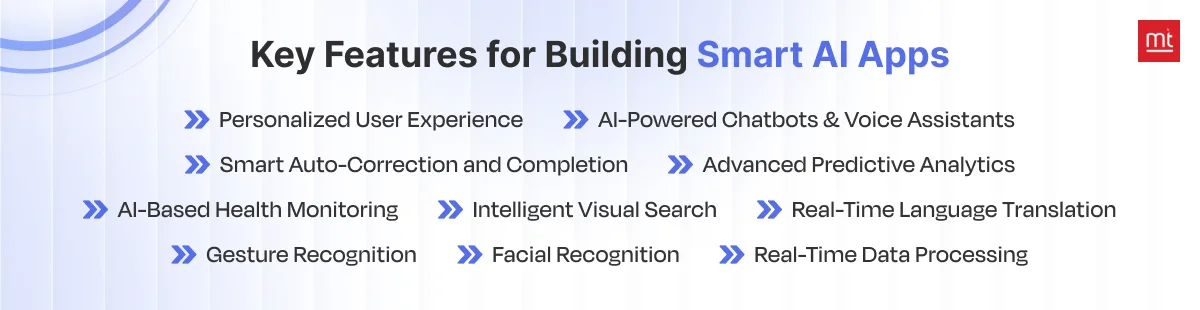
1. Personalized Recommendation
Add personalized recommendations to boost engagement and your sales. This feature shows each user’s suggestions based on what they like or do inside your app. It could be products, content, or features. It helps users find what they need faster, and eventually, you can generate more sales, longer time spent in the app, and happier users.
2. AI-Powered Chatbots & Voice Assistants
These features can easily solve users’ queries simply by asking or talking to a voice assistant or chatbot. You don’t need to hire an extra support team anymore. An AI chatbot is available 24*7 to respond to users’ queries anytime.
3. Smart Auto-Correction and Completion
With smart auto-correction and completion, users can type faster without any mistakes, as it suggests words and sentence formation. It’s great for forms, searches, or chats.
4. Advanced Predictive Analytics
This helps your app guess what a user might want or need based on past behavior. For example, it can suggest when to restock or remind them of something. It helps users feel understood, and your business can plan better, act faster, and make smarter choices.
5. AI-Based Health Monitoring
If your app is based on health or wellness, this is a must-have feature. It tracks things like heart rate, steps, or sleep and warns users if something seems wrong. It helps users stay on top of their health and builds trust in your app as a helpful daily companion.
6. Intelligent Visual Search
Instead of typing, users can upload a photo to search. For example, snap a picture of shoes and find the same pair online. It makes searching fun and easy, especially for shopping apps. It helps users find things faster”and helps your business sell more.
7. Real-Time Language Translation
If your target audience is from different regions where people speak different languages, then add real-time language translation. This allows users to use your app in their own language. It instantly translates text or speech. It makes your app friendly and usable for a global audience, and grows your business without a language barrier.
8. Gesture Recognition
This feature gives your app a modern look and is best for users who prefer a touch-free look. It’s great for gaming, fitness, or accessibility. With this, users can control your app using hand movements instead of tapping.
9. Facial Recognition
This allows users to log in to the app just by looking at their phone. It makes sign-ins faster and more secure. For businesses, it adds a trusted layer of security and gives users a smooth, hassle-free way to access the app.
10. Real-Time Data Processing
It helps show live updates, alerts, or changes. It’s great for finance, delivery, or news apps. It helps users get the latest info right away and helps you to act based on real-time data as it happens.
Step-by-Step Guide to Creating an AI-Powered App for Your Business
The very first step is to start by figuring out the problem you want your app to solve. Do research based on the problem statement, collect data, and choose the right AI tools. Train your AI, build a simple version (MVP), and connect everything together. Test it out, fix what doesn’t work, and launch! Keep improving as you go. Read steps below to understand more in depth.
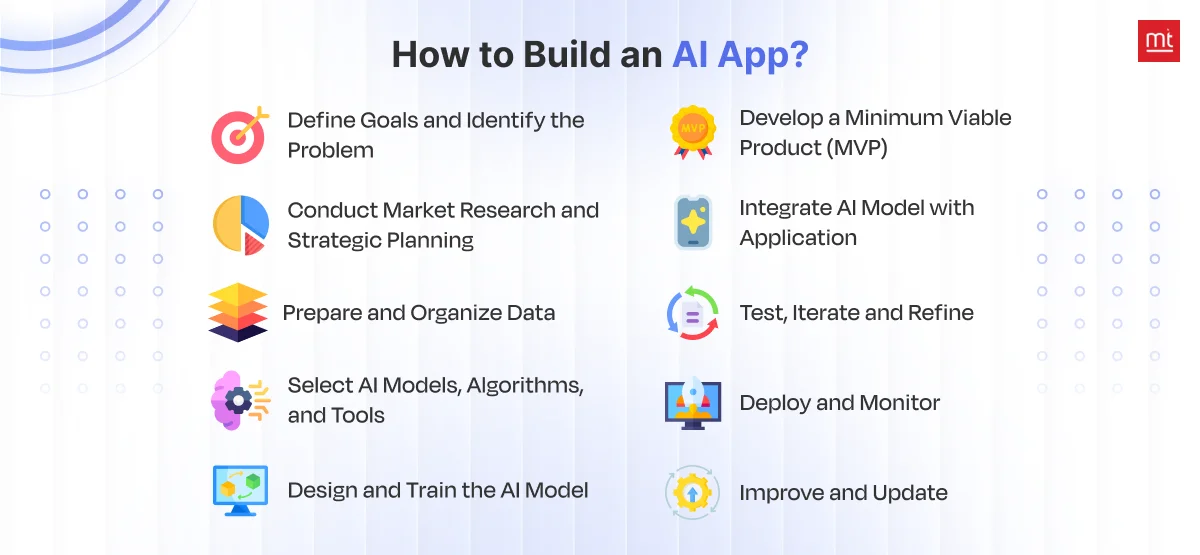
1. Define Goals and Identify the Problem
You can make your AI app development journey quick and smooth when you know your goals and business. Find the problem you are trying to solve by building this AI app. When you catch the problem, everything will start to fall in its place. You will get an idea about the AI development process, functions, technology stacks to use, which AI/ML model to choose, and much more.
2. Conduct Market Research and Strategic Planning
Do market research by keeping your users in mind. You can conduct surveys, interviews, or use platforms like Reddit, Quora, or LinkedIn groups to gather insights. Find who are your idea users are, and what problem they are facing. Analyze your competitors and see if there are similar AI apps already out there. Study AI trends in specific industries via research reports or sites like Statista, Gartner, or CB Insights.
This will help you create strategies according to business goals and create a feature roadmap based on real needs.
3. Prepare and Organize Data
Data is the backbone of how your AI application will perform. So, collect relevant and clean high-quality data. Make sure to collect data from trusted sources. Once the data is collected, you will need to remove errors, duplicates, or irrelevant entries and fix inconsistent values. Label your data accurately and organize into a structured format (e.g., CSV, JSON) with suitable categories.
4. Select AI Models, Algorithms, and Tools
Based on your app’s goal, decide whether you need ML, NLP, or computer vision. Choose algorithms that suit your data and problem type, like for classification, choose decision trees, SVM, or neural networks. For recommendations, choose collaborative filtering or matrix factorization, and for NLP, choose transformers or RNNs.
Start with solid tools such as TensorFlow and PyTorch for your models, spaCy for text, and OpenCV for images. Cloud platforms like AWS or Azure help speed things up. Just remember: your choices should match your app’s speed needs, device limitations, and budget.
5. Design and Train the AI Model
Decide how your AI model will work internally. First, you choose the right model architecture based on your app’s needs. Then, you feed it well-prepared data”split into training, validation, and testing sets.
The model learns patterns through training, while you tweak things like learning rate and batch size for better results. Validation helps prevent overfitting, and finally, you evaluate its accuracy using the right metrics to make sure it performs well in real-world situations.
6. Develop a Minimum Viable Product (MVP)
Develop an MVP first by considering your strategy and business objectives. Your MVP should include just the core features, especially the AI functionality, that solve your main problem. This way, you can test your AI business app idea with real users, get honest feedback, and make modifications to the app accordingly without wasting time or money.
7. Integrate AI Model with Application
This is the step where you integrate your trained AI model to the app. This step connects your model with the front end or backend, so it can receive data and return smart predictions or insights. If you have hired an ** mobile app development company,** they will easily set up APIs and handle a containerization model to have smooth communication between the front-end, back-end, and AI model.
8. Test, Iterate, and Refine
The testing of an AI app is different from a normal app. You need to test prediction accuracy, performance underload, model bias, system stability, and how the app and AI model perform in real-world scenarios. Make sure to do security testing and check all the AI functionality. Solve the bugs or any inaccurate results immediately.
9. Deploy and Monitor
Once everything is tested, your AI app is ready to live. Use monitoring tools to track performance, uptime, errors, and user behavior. Also, watch how well the AI is doing. Are its predictions helpful? Is it responding quickly? Ongoing monitoring helps you maintain a high-quality user experience.
10. Improve and Update
But launching an app is not the end of your AI app development. Gather new data, listen to your users, and look for ways to improve. Stay updated with changing mobile app development trends. The AI market is highly volatile, hence you might to retrain your model, add new features, or optimize performance.
How Much Does It Cost to Create an AI App?
The AI app development cost usually ranges from $60,000 to $150,000. It depends on the app’s complexity, the kind of data it needs, and how you integrate AI into the system. You can reduce costs by using cloud services and ready-made AI tools instead of building everything from scratch. The best idea would be to first create an with MVP, then gradually go into full AI app development when you get a good response from users.
| AI App Complexity | Example Use Cases | Estimated Development Cost |
|---|---|---|
| Basic | - Chatbot for customer support - Image recognition for tags for products |
$10,000 - $50,000 |
| Intermediate | - Sentiment analysis powered by NLP - Product recommendation engine for eCommerce that is personalized |
$50,000 - $200,000 |
| Advanced | - Control systems for self-driving vehicles - AI-driven platforms for the diagnosis of medical conditions |
$200,000+ |
How Much Time Does it Take to Develop an AI App?
It almost takes 8 to 12 months or even more to develop an AI app. A simple app with basic AI features might take around 6 to 8 months. But if you’re building something more advanced like a smart learning platform or AI-powered assistant, it could take 8 to 12 months or more. Factors like data preparation, model training, and integration also affect the timeline.
However, the actual timeline may vary based on various factors, such as:
- The complexity of the AI algorithms
- The extent of customization needed for the AI model
- The availability and quality of data
- The expertise and experience of the AI app development team
- The specific features and functionality to be implemented
- The dependencies on third-party services or integrations
| AI App Complexity | Example Application | Core Functionalities | Estimated Development Time |
|---|---|---|---|
| Basic | AI-Powered Language Translator | - Real-time text translation - Support for multiple languages - Simple, intuitive interface |
1 – 3 months |
| Intermediate | Health & Fitness Virtual Coach | - Customized workout recommendations - Progress tracking dashboard - Nutrition planning - Wearable device integration |
3 – 6 months |
| Advanced | AI-Driven Smart Home System | - Integrated home security - Voice-activated controls - Energy efficiency optimization - Smart appliance connectivity - Predictive maintenance powered by AI |
12+ months |
What Are the Most Effective Monetization Models for AI Applications?
There are many ways to monetize your AI app. If users rely on your app regularly, a subscription model is best to earn a steady income. If you want to convert more users, a freemium approach is best to allow users to try the free features for free and charge for the extras or API access. Ad-based models are best to bring traffic. You can also license your tech or white label it so other companies can use it. And if your app collects valuable data, make sure to respect privacy rules.
| Monetization Model | How It Works | Best-Suited For |
|---|---|---|
| Subscription-Based | Users pay a recurring (monthly or annual) fee for constant access to the AI app and/or platform. | SaaS products, AI-driven analytics platforms, productivity, and enterprise software |
| Freemium + Pay-Per-Use APIs | Basic access is free, and users pay for premium features or pay-per-use of APIs. | AI APIs (vision, NLP, voice), developer tools, chatbot platforms |
| Ad Supported | The application makes money by showing ads in the AI application. | Consumer-oriented AI usage (voice assistants, media streaming, social, etc.) |
| Licensing + White Labeling | The AI application is licensed or rebranded for another company to use under their identity. | Enterprise-grade AI systems, B2B solutions, OEM |
| Data Monetization | Aggregated and anonymized user data insights will be sold to third parties for research or analytics purposes. | Fintech, healthcare, retail, and other data-rich AI consumption. |
How ManekTech Helps You Build Your AI App?
Manektech has been the leading AI app development company with a proven track record of successful 2500 apps. Since 2011, we have done data-driven projects across industries like logistics, healthcare, finance, and retail. We always believe in upskilling ourselves,hence we are proudly a Microsoft Gold Partner and experts in a diverse tech stack. We have an experienced team of data scientists and AI engineers who specialize in image processing, voice-based AI chatbot development, application re-engineering, and all kinds of digital app development.
If you are thinking to implement AI into your existing app or develop an mobile app from scratch, we can guide you to get started properly and how ti build a scalable AI app. Book a free consultation call today to get more clarity.
Conclusion
Hope you now know how to build an app with AI. An AI app is the future to retain customers and generate fat revenue from your business investment. Before you start your AI app development, you must have a proper roadmap with clear requirements, features, functionality, expectations, goals, and other things noted. Keep in mind, your AI app must solve the real user problems that they are currently facing. There are a number of AI apps in today’s market, you must research thoroughly to identify the pain points of your industry and create a unique AI app.
If you are looking for more innovative ideas about AI apps, then do check out our articles on how to develop a Crowdfunding App, how to build an AI Photo Enhancer App, and how to build an AI Palm Reader App to get more ideas to begin your AI app project in the right manner.
|  |
Frequently Asked Questions
Ans: Creating an AI-powered app development can be difficult if you don’t have to technical background. It requires clear goals, the right data, skilled developers, and proper AI development tools. Hire a reputed AI ML development compan y to get a step-by-step plan and build a successful AI app.
Ans: Machine learning, natural language processing (NLP), computer vision, and data processing are some of the crucial components of AI. These help AI learn from data, understand language, recognize images or patterns, and make smart decisions in real time.
Ans: AI works by using algorithms and data to simulate human intelligence. It learns from large datasets, finds patterns, and improves over time. Based on the type (like machine learning or deep learning), it can predict, classify, or generate content with increasing accuracy.
Ans: AI is beneficial for all industries, such as healthcare, finance, retail, manufacturing, and transportation. It helps with automation, decision-making, customer service, fraud detection, and personalized experiences to save time and improve business efficiency.
Ans: For AI app development, you will need tools like Python, TensorFlow, PyTorch, and cloud platforms (AWS, Azure, Google Cloud). It also involves databases, APIs, front-end frameworks, and model training environments to build, test, and deploy smart applications.
Ans: In 2025, the top AI app use cases include:
- AI chatbots and virtual assistants
- Personalized shopping recommendations
- Fraud detection in finance
- AI in healthcare diagnostics
- Predictive maintenance in manufacturing
Ans: Once you know your goal, choose the right AI model or API, and collect quality data according to your audience and industry. You can also use pre-built tools like OpenAI, Google AI, or AWS AI to speed up integration.
Ans: Data privacy concerns, high moblile application development costs, bias in data, lack of transparency, and dependence on quality data are some of the limitations of AI applications. AI is powerful but not perfect. It’s better not to give full control to automation and AI ,and involve human input at every stage for fair results.
More articles on the topic
An app's user base using Firebase Analytics, a free and unlimited analytics solution. You'll be able to learn who your users are and how they interact with your app.
7 Min ReadFeb 27, 24
Nikhil Solanki
Mobile Lead at Manek Tech
Data Visualization technologies provide us with a proliferation of insights into the data obtained. Google and Microsoft, for instance, gather and utilize Big Data to shape the future of their commercial operations.
4 Min ReadFeb 29, 24

Ruchir Pandya
Delivery Head of Web at Manek Tech